SD_Format()
… visits


SD_Format(wSize As Word, sLabel As sSdTempName1), Byte
|
Parameter |
Description |
|
wSize |
desired partition size in MB (max ~65535 MB / 64GB) |
|
sLabel |
volume label, up to 11 characters (space-padded/truncated); pass an empty string for no label |
|
Return value |
0 = success |
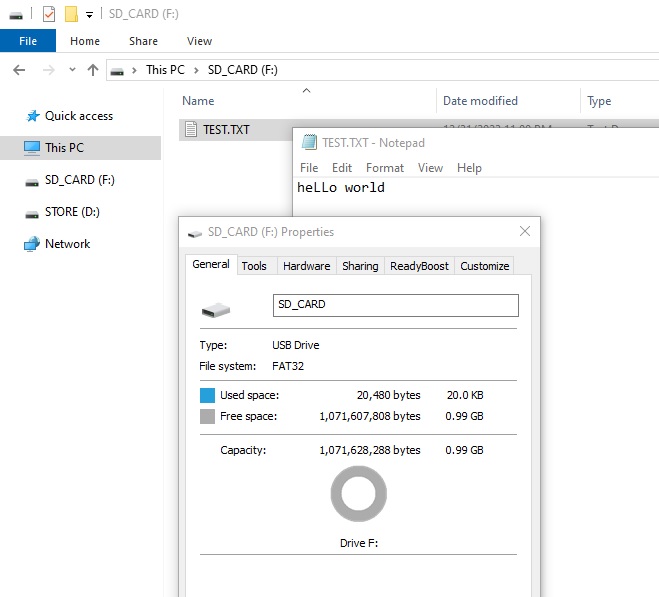
Formats an SD card with ONE FAT32 partition of the requested size and an optional volume label, starting immediately after the MBR.
FAT32 requires at least ~65525 clusters, which at 4096 bytes per cluster means this needs roughly 256MB+ to format correctly - smaller sizes will produce an invalid volume.
File_Init()/remount is mandatory after format if the card will be used.
|
SD_Format(1024, "SD_Card") If File_Init() = cErrOK Then TftPrintSndString("Init OK", 1, 20,20,1, RED,BLACK,0) Else TftPrintSndString("Init Err", 1, 20,20,1, RED,BLACK,0) EndIf Dim sTemp As String * 20 sTemp = "heLLo world" File_LogLine(sTemp, "test.txt") |
|
Created with the Personal Edition of HelpNDoc: Streamline Your Documentation Process with a Help Authoring Tool