TftBmpScreenshotSd()
… visits


TftBmpScreenshotSd(sFileName As String * 13, wX_Pos As Word, wY_Pos As Word, wWidth As Word, wHeight As Word), Byte
|
Parameter |
Description |
|
sFileName |
The name of the BMP file to create on the SD card, including the extension. Must be 12 characters or fewer, including the dot and file extension. |
|
wX_Pos |
The x-coordinate of the lower-left corner of the screenshot area. |
|
wY_Pos |
The y-coordinate of the lower-left corner of the screenshot area. |
|
wWidth |
The width of the screenshot area. |
|
wHeight |
The height of the screenshot area. |
|
Value |
Meaning |
|
0 |
No error |
|
1 |
No response from SD card |
|
2 |
SD card not formatted with FAT16 or FAT32 |
|
3 |
File not found |
|
4 |
File is in use |
|
5 |
Read/write error |
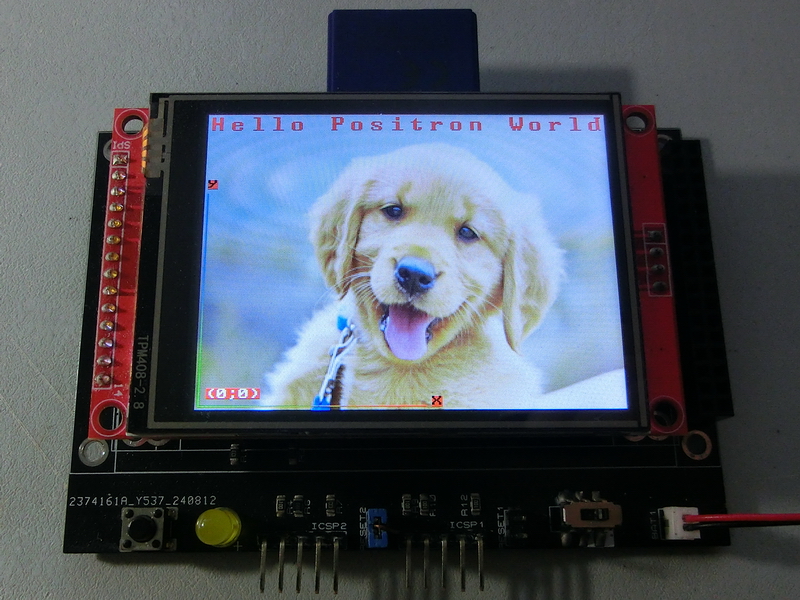
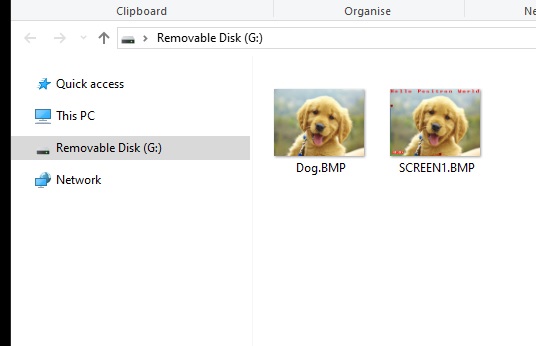
Capture a screenshot and save it as a BMP file on the SD card.
This procedure captures a screenshot from the designated area of the TFT screen, specified by (wX_Pos, wY_Pos, wWidth, wHeight), and saves it as a new BMP file on the SD card.
The screenshot can be cropped by adjusting the parameters.
TftBmpScreenshotSd("PIC001.BMP", 0,0, 320,240)
Note: Reading pixels from the TFT screen requires a significantly slower baud rate than writing pixels.When using hardware SPI, you may need to dynamically adjust the SPI clock rate. For software SPI, bit-banging is used and has been successfully tested at an effective clock rate of up to 150 MHz Fosc.
|
Clear SetCrystal() SetPins() TftBmpMemSet() TftSetUp(0, 0) TftBmpFromSD("dog.bmp",0,0) TftSetSndFont(4,0) TftPrintSndString("Hello Positron World",1,0,14,1,RED,WHITE,1) TftSetSndFont(0,0) TftPrintSndString("(0;0)",1,1,1,1,WHITE,RED,0) TftLineHNG(2,170,2,GREEN,RED) TftPrintSndChar("X",1,175,2,0,BLACK,RED,0) TftLineVNG(2,2,170,GREEN,BLUE) TftPrintSndChar("Y",1,2,175,0,BLACK,RED,0) SPI1STAT = 0x0000 : SPI2STAT = 0x0000 '|Lower SPI baud rate SPI1CON1 = 0x0323 : SPI2CON1 = 0x0323 '|for TFT screen read SPI1BUF = 0 : SPI2BUF = 0 '|Clear buffer SPI1STAT = 0x8000 : SPI2STAT = 0x8000 '|and SD Card write TftBmpScreenshotSd("Screen1.BMP", 0,0, 320,240) SPI1STAT = 0x0000 : SPI2STAT = 0x0000 '|Restore SPI baud rate SPI1CON1 = 0x033B : SPI2CON1 = 0x033B '|to default values i.e. SPI1BUF = 0 : SPI2BUF = 0 '|Clear buffer SPI1STAT = 0x8000 : SPI2STAT = 0x8000 '|maximum read speed |
|
Created with the Personal Edition of HelpNDoc: Make the switch to CHM with HelpNDoc's hassle-free WinHelp HLP to CHM conversion tool