Context
Syntax
Context Save {Variable,Variable} Context Restore
Overview
Save and restore important compiler variables and device SFRs (Special Function Registers) while inside an interrupt. Context Restore will also exit the interrupt and hand control back to the main program.
Parameters
Variable is an optional list of user-defined variables or SFRs that will also be saved before entering the interrupt handling subroutine and restored after the interrupt has ended.
Example:
' Illustrate a typical use for Context Save and Context Restore
  Device = 18F4520               ' Select the device to compile for
  Declare Xtal = 20      ' Tell the compiler the device will be operating at 20MHz
  On_Hardware_Interrupt GoTo ISR_Handler ' Point to the interrupt handler

  Dim wTimer1 as TMR1L.Word      ' Create a 16-bit Word from registers TMR1L/H

'---------------------------------------
' The main program starts here
'
Main:
Text in this figure or table
'
' Setup a Timer1 interrupt

  T1CONbits_T1CKPS0 = 1          ' /

  wTimer1 = 0                    ' Clear Timer1
  T1CONbits_TMR1ON = 1          ' Enable Timer1

  INTCON1bits_GIE = 1           ' Enable all interrupts

  Do                             ' Create a loop
     PORTB.1 = 1                  ' Set PORTB.1 high
     DelayMs 200                  ' Wait a while
     PORTB.1 = 0                  ' Pull PORTB.1 low
     DelayMs 200                  ' Wait a while
  Loop                           ' Do it forever
Low PORTB ' Make all of PORTB output low
T1CONbits_RD16 = 1 ' Enable read/write of Timer1 in 16-bit mode
T1CONbits_T1CKPS1 = 0 ' \ Timer1 Prescaler to 1:4
T1CONbits_T1OSCEN = 0 ' Disable External Oscillator
T1CONbits_TMR1CS = 0 ' Increment on the internal Clock
PIE1bits_TMR1IE = 1 ' Enable the Timer1 overflow interrupt
INTCON1bits_PEIE = 1 ' Enable all peripheral interrupts
'---------------------------------------
' A typical Interrupt handling subroutine
'
ISR_Handler:
Context Save ' Save any variables used in the interrupt
If PIR1bits_TMR1IF = 1 Then ' Is it a Timer1 overflow interrupt?
Toggle PORTB.0 ' Yes. So. Toggle PORTB.0
PIR1bits_TMR1IF = 0 ' Clear the Timer1 Overflow flag
EndIf '
Context Restore ' Restore any variables and exit the interrupt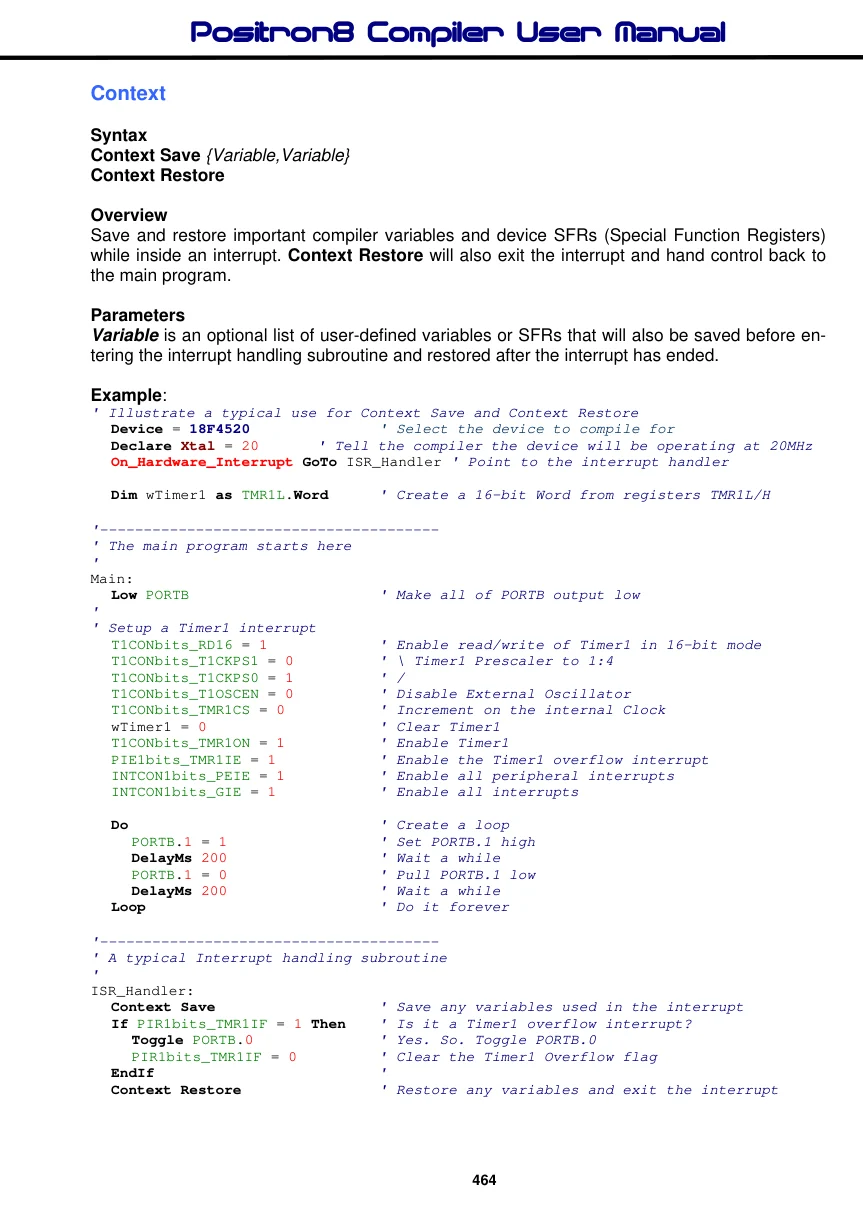
Notes.
When an interrupt occurs, it will immediately leave the main program and jump to the interrupt handling subroutine regardless of what the main program is doing. The main program generally has no idea that an interrupt has occurred and if it was using any of the device’s resources or the compiler’s system variables and the interrupt handler is doing the same, they will be altered when the main program continues, with disastrous results.
This is the reason for Context saving and restoring of the compiler’s internal system variables and the device’s SFRs (Special Function Registers). Each compiler command generates variables for it to work upon, either for passing parameters or the actual working of the library routine. Some commands also make use of the device's SFRs, for example FSR or PRODL or PRODH etc…
Of course, we don’t want to save every internal system variable or device SFR as this would take far too much RAM and slow down the entry and exit of the interrupt while each was saved and restored. What we want is to save and restore only the variables and SFRs that are used within the interrupt handler itself. This may be a lot or a little, or none, depending on the program within the interrupt handler subroutine.
The compiler examines the code between the Context Save and Context Restore commands and keeps a record of the internal compiler system variables and SFRs used. There are excepts to this rule concerning SFRs which we'll deal with later.
The Context Save command should always be at the beginning of the interrupt handling subroutine, and this will save any variables in a specially created byte array.
Exceptions to the Rule. Each of the compiler’s commands reports internally as to which compiler system variable and SFR they use. However, this is not the case for any SFRs used as an assignment variable. For example:
PRODL = ByteIn1 + ByteIn2It is also not the case for any PORT or TRIS registers.
For these SFRs to be saved and restored they will need to be added to the list of parameters after the Context Save command:
Context Save PRODL, PORTB, TRISBSee also : On_Hardware_Interrupt, On_Low_Interrupt.