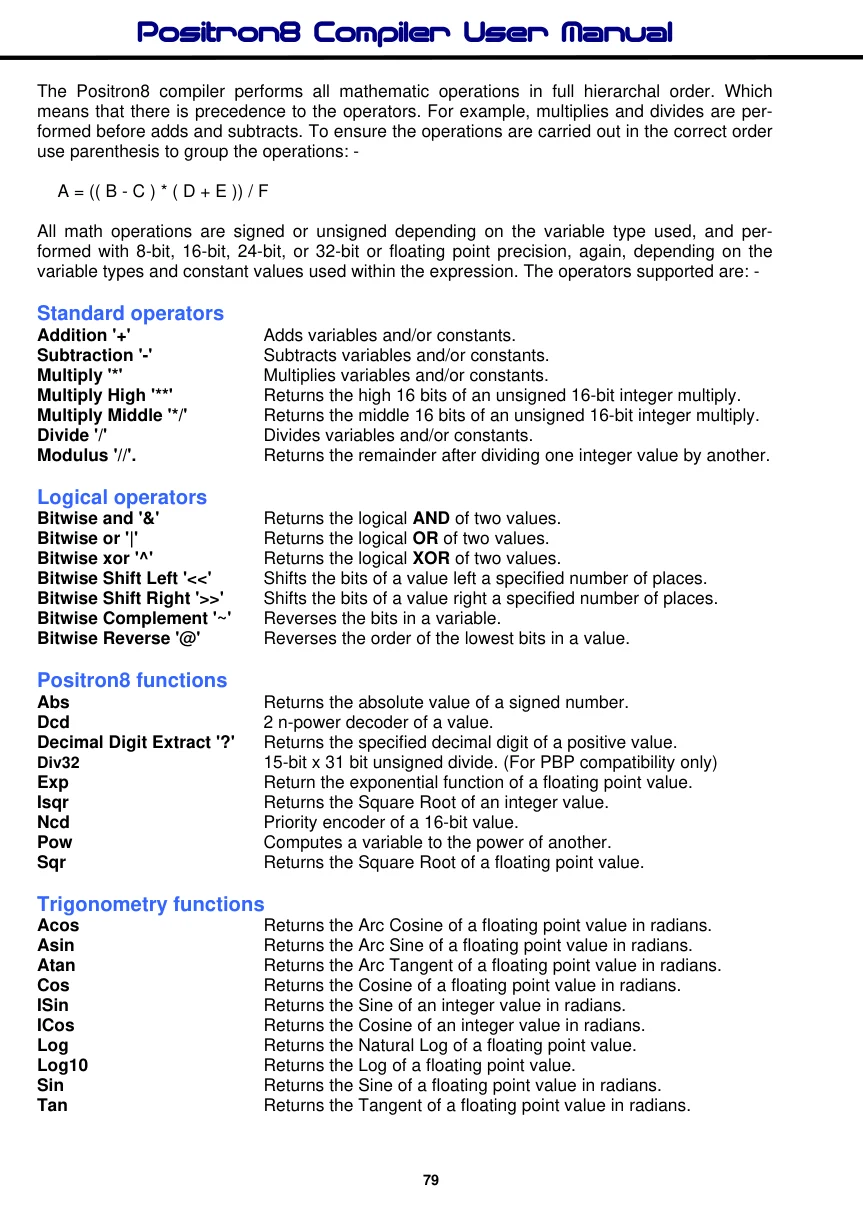
Trigonometry functions
Acos
Returns the Arc Cosine of a floating point value in radians. Asin Returns the Arc Sine of a floating point value in radians. Atan Returns the Arc Tangent of a floating point value in radians.
Cos
Returns the Cosine of a floating point value in radians. ISin Returns the Sine of an integer value in radians. ICos Returns the Cosine of an integer value in radians. Log Returns the Natural Log of a floating point value.
Log10
Returns the Log of a floating point value.
Sin
Returns the Sine of a floating point value in radians. Tan Returns the Tangent of a floating point value in radians.
Add '+'
Syntax
Assignment Variable = Variable + Variable
Overview
Adds variables and/or constants, returning an unsigned or signed 8, 16, 24, 32-bit or floating point result.
Operands
Variable can be a constant, variable or expression. Assignment Variable can be any valid variable type.
Addition works exactly as you would expect with signed and unsigned integers as well as floating point.
Example 1
Device = 18F26K40
' Select the device to compile for
Declare Xtal = 16 ' Tell the compiler the device will be operating at 16MHz
Declare Hserial_Baud = 9600
' Set the Baud rate for HRsoutLn
Dim wMyVar1 as Word = 1575
Dim wMyVar2 as Word = 976
wMyVar1 = wMyVar1 + wMyVar2
' Add the numbers.
HRsoutLn Dec wMyVar1
' Display the result
Example 2
Device = 18F26K40
' Select the device to compile for
Declare Xtal = 16 ' Tell the compiler the device will be operating at 16MHz
Declare Hserial_Baud = 9600
' Set the Baud rate for HRsoutLn
' 32-bit addition
Dim wMyVar1 as Word
Dim dMyVar2 as Dword
wMyVar1 = 1575
dMyVar2 = 9763647
dMyVar2 = dMyVar2 + wMyVar1
' Add the numbers.
HRsoutLn Dec wMyVar2
' Display the result
Subtract '-'
Syntax
Assignment Variable = Variable - Variable
Overview
Subtracts variables and/or constants, returning an unsigned or signed 8, 16, 24, 32-bit or floating point result.
Operands
Variable can be a constant, variable or expression. Assignment Variable can be any valid variable type.
Subtract works exactly as you would expect with signed and unsigned integers as well as floating point.
Example 1
Device = 18F26K40
' Select the device to compile for
Declare Xtal = 16 ' Tell the compiler the device will be operating at 16MHz
Declare Hserial_Baud = 9600
' Set the Baud rate for HRsoutLn
Dim wMyVar1 as Word = 1000
' Create a variable and assign a value to it
Dim wMyVar2 as Word = 999
' Create a variable and assign a value to it
wMyVar1 = wMyVar1 - wMyVar2
' Subtract the numbers
HRsoutLn Dec wMyVar1
' Display the result
Example 2
Device = 18F26K40
' Select the device to compile for
Declare Xtal = 16 ' Tell the compiler the device will be operating at 16MHz
Declare Hserial_Baud = 9600
' Set the Baud rate for HRsoutLn
' 32-bit subtraction
Dim wMyVar1 as Word
Dim dMyVar2 as Dword
wMyVar1 = 1575
dMyVar2 = 9763647
dMyVar2 = dMyVar2 - wMyVar1
' Subtract the numbers
HRsoutLn Dec wMyVar2
' Display the result
Example 3
Device = 18F26K40
' Select the device to compile for
Declare Xtal = 16 ' Tell the compiler the device will be operating at 16MHz
Declare Hserial_Baud = 9600
' Set the Baud rate for HRsoutLn
' 32-bit signed subtraction
Dim dMyVar1 as SDword = 1575
Dim dMyVar2 as SDword = 9763647
dMyVar1 = dMyVar1 - dMyVar2
' Subtract the numbers
HRsoutLn SDec dMyVar1
' Display the result
Multiply '*'
Syntax
Assignment Variable = Variable * Variable
Overview
Multiplies variables and/or constants, returning an unsigned or signed 8, 16, 24, 32-bit or floating point result.
Operands
Variable can be a constant, variable or expression. Assignment Variable can be any valid variable type.
Multiply works exactly as you would expect with signed or unsigned integers from -2147483648 to +2147483647 as well as floating point. If the result of multiplication is larger than 2147483647 when using 32-bit variables, the excess bit will be lost.
Example 1
Device = 18F26K40
' Select the device to compile for
Declare Xtal = 16 ' Tell the compiler the device will be operating at 16MHz
Declare Hserial_Baud = 9600
' Set the Baud rate for HRsoutLn
Dim wMyVar1 as Word = 1000
' Create a variable and assign a value to it
Dim wMyVar2 as Word = 19
' Create a variable and assign a value to it
wMyVar1 = wMyVar1 * wMyVar2
' Multiply wMyVar1 by wMyVar2
HRsoutLn Dec wMyVar1
' Display the result
Example 2
Device = 18F26K40
' Select the device to compile for
Declare Xtal = 16 ' Tell the compiler the device will be operating at 16MHz
Declare Hserial_Baud = 9600
' Set the Baud rate for HRsoutLn
' 32-bit multiplication
Dim wMyVar1 as Word
Dim dMyVar2 as Dword
wMyVar1 = 100
dMyVar2 = 10000
dMyVar2 = dMyVar2 * wMyVar1
' Multiply the numbers
HRsoutLn Dec dMyVar2
' Display the result
Multiply High '**'
Syntax
Assignment Variable = Variable ** Variable
Overview
Multiplies 8 or 16-bit unsigned variables and/or constants, returning the high 16 bits of the result. For compatibility with the old BASIC Stamp modules.
Operands
Variable can be a constant, variable or expression. Assignment Variable can be any valid variable type.
When multiplying two 16-bit values, the result can be as large as 32 bits. Since the largest variable supported by the compiler is 16-bits, the highest 16 bits of a 32-bit multiplication result are normally lost. The ** (double-star) operand produces these upper 16 bits.
For example, suppose 65000 ($FDE8) is multiplied by itself. The result is 4,225,000,000 or $FBD46240. The * (star, or normal multiplication) instruction would return the lower 16 bits, $6240. The ** instruction returns $FBD4.
Example
Device = 18F26K40
' Select the device to compile for
Declare Xtal = 16 ' Tell the compiler the device will be operating at 16MHz
Declare Hserial_Baud = 9600
' Set the Baud rate for HRsoutLn
Dim wMyVar1 as Word
Dim wMyVar2 as Word
wMyVar1 = $FDE8
wMyVar2 = wMyVar1 ** wMyVar1
' Multiply $FDE8 by itself
HRsoutLn Hex wMyVar2
' Display the high 16 bits.
Note.
This operator enables compatibility with BASIC Stamp code, and melab's compiler code, but is rather obsolete considering the 32-bit capabilities of the Positron8 compiler.
Multiply Middle '*/'
Syntax
Assignment Variable = Variable */ Variable
Overview
Multiplies unsigned variables and/or constants, returning the middle 16 bits of the 32-bit result.
Operands
Variable can be a constant, variable or expression. Assignment Variable can be any valid variable type.
The Multiply Middle operator has the effect of multiplying a value by a whole number and a fraction. The whole number is the upper byte of the multiplier (0 to 255 whole units) and the fraction is the lower byte of the multiplier (0 to 255 units of 1 / 256 each).
Suppose we are required to multiply a value by 1.5. The whole number, and therefore the upper byte of the multiplier, would be 1, and the lower byte (fractional part) would be 128, since 128 / 256 = 0.5. It may be clearer to express the */ multiplier in Hex as $0180, since hex keeps the contents of the upper and lower bytes separate. Here's an example: -
Example
Device = 18F26K40
' Select the device to compile for
Declare Xtal = 16 ' Tell the compiler the device will be operating at 16MHz
Declare Hserial_Baud = 9600
' Set the Baud rate for HRsoutLn
Dim wMyVar1 as Word = 100
' Create a variable and assign a value to it
wMyVar1 = wMyVar1 */ $0180
' Multiply by 1.5 [1 + (128/256)]
HRsoutLn Dec wMyVar1
' Display result (150).
To calculate constants for use with the */ instruction, put the whole number portion in the upper byte, then use the following formula for the value of the lower byte: -
int(fraction * 256)
For example, take the value of PI (3.14159). The upper byte would be $03 (the whole number), and the lower would be int(0.14159 * 256) = 36 ($24). So the constant PI for use with */ would be $0324. This isn't a perfect match for PI, but the error is only about 0.1%.
Note.
This operator enables compatibility with BASIC Stamp code, and melab's compiler code, but is rather obsolete considering the signed and unsigned 32-bit capabilities of the Positron8 compiler.
Divide '/'
Syntax
Assignment Variable = Variable / Variable
Overview
Divides variables and/or constants, returning an unsigned or signed 8, 16, 24, 32-bit or floating point result.
Operands
Variable can be a constant, variable or expression. Assignment Variable can be any valid variable type.
The Divide operator works exactly as you would expect with signed or unsigned integers from - 2147483648 to +2147483647 as well as floating point.
Example 1
Device = 18F26K40
' Select the device to compile for
Declare Xtal = 16 ' Tell the compiler the device will be operating at 16MHz
Declare Hserial_Baud = 9600
' Set the Baud rate for HRsoutLn
Dim wMyVar1 as Word
Dim wMyVar2 as Word
wMyVar1 = 1000
wMyVar2 = 5
wMyVar1 = wMyVar1 / wMyVar2
' Divide the numbers.
HRsoutLn Dec wMyVar1
' Display the result (200).
Example 2
' 32-bit division
Device = 18F26K40
' Select the device to compile for
Declare Xtal = 16 ' Tell the compiler the device will be operating at 16MHz
Declare Hserial_Baud = 9600
' Set the Baud rate for HRsoutLn
Dim wMyVar1 as Word
Dim dMyVar2 as Dword
wMyVar1 = 100
dMyVar2 = 10000
dMyVar2 = dMyVar2 / wMyVar1
' Divide the numbers.
HRsoutLn Dec dMyVar2
' Display the result
Integer Modulus '//'
Syntax
Assignment Variable = Variable // Variable
Overview
Return the remainder left after dividing one unsigned or signed value by another.
Operands
Variable can be a constant, variable or expression. Assignment Variable can be any valid variable type.
Some division problems do not have a whole-number result; they return a whole number and a fraction. For example, 1000 / 6 = 166.667. Integer math doesn't allow the fractional portion of the result, so 1000 / 6 = 166. However, 166 is an approximate answer, because 166 * 6 = 996. The division operation left a remainder of 4. The // returns the remainder of a given division operation. Numbers that divide evenly, such as 1000 / 5, produce a remainder of 0.
Example 1
Device = 18F26K40
' Select the device to compile for
Declare Xtal = 16 ' Tell the compiler the device will be operating at 16MHz
Declare Hserial_Baud = 9600
' Set the Baud rate for HRsoutLn
Dim Value1 as Word
Dim Value2 as Word
Value1 = 1000
Value2 = 6
Value1 = Value1 // Value2
' Get remainder of Value1 / Value2.
HRsoutLn Dec Value1
' Display the result (4).
Example 2
' 32-bit modulus
Device = 18F26K40
' Select the device to compile for
Declare Xtal = 16 ' Tell the compiler the device will be operating at 16MHz
Declare Hserial_Baud = 9600
' Set the Baud rate for HRsoutLn
Dim wMyVar1 as Word
Dim dMyVar2 as Dword
wMyVar1 = 100
dMyVar2 = 99999
dMyVar2 = dMyVar2 // wMyVar1
' Mod the numbers.
HRsoutLn Dec Value2
' Display the result
Note.
The modulus operator does not operate with floating point constants or variables.
Logical and '&'
Syntax
Assignment Variable = Variable & Variable
Overview
The And operator returns the bitwise And of two values. Each bit of the values is subject to the following logic: -
0 and 0 = 0 0 and 1 = 0 1 and 0 = 0 1 and 1 = 1
The result returned by & will contain 1s in only those bit positions in which both input values contain 1s.
Operands
Variable can be a constant, variable or expression. Assignment Variable can be any valid variable type.
Example 1
Device = 18F26K40
' Select the device to compile for
Declare Xtal = 16 ' Tell the compiler the device will be operating at 16MHz
Declare Hserial_Baud = 9600
' Set the Baud rate for HRsoutLn
Dim bMyVar1 as Byte
Dim bMyVar2 as Byte
Dim bMyResult as Byte
bMyVar1 = 0b00001111
bMyVar2 = 0b10101101
bMyResult = bMyVar1 & bMyVar2
HRsoutLn Bin bMyResult
' Display the AND binary result: 00001101
Example 2
Device = 18F26K40
' Select the device to compile for
Declare Xtal = 16 ' Tell the compiler the device will be operating at 16MHz
Declare Hserial_Baud = 9600
' Set the Baud rate for HRsoutLn
HRsoutLn Bin (0b00001111 & 0b10101101) ' Display the AND binary result: 00001101
Note.
Bitwise operations are not permissible with floating point constants or variables.
Logical or '|'
Syntax
Assignment Variable = Variable | Variable
Overview
The Or operator returns the bitwise Or of two values. Each bit of the values is subject to the following logic: -
0 or 0 = 0 0 or 1 = 1 1 or 0 = 1 1 or 1 = 1
The result returned by | will contain 1s in any bit positions in which one or the other (or both) input values contain 1s.
Operands
Variable can be a constant, variable or expression. Assignment Variable can be any valid variable type.
Example 1
Device = 18F26K40
' Select the device to compile for
Declare Xtal = 16 ' Tell the compiler the device will be operating at 16MHz
Declare Hserial_Baud = 9600
' Set the Baud rate for HRsoutLn
Dim bMyVar1 as Byte
Dim bMyVar2 as Byte
Dim bMyResult as Byte
bMyVar1 = 0b00001111
bMyVar2 = 0b10101001
bMyResult = bMyVar1 | bMyVar2
HRsoutLn Bin bMyResult
' Display the OR binary result: 10101111
Example 2
Device = 18F26K40
' Select the device to compile for
Declare Xtal = 16 ' Tell the compiler the device will be operating at 16MHz
Declare Hserial_Baud = 9600
' Set the Baud rate for HRsoutLn
HRsoutLn Bin (0b00001111 | 0b10101001) ' Display the OR binary result: 10101111
Note.
Bitwise operations are not permissible with floating point constants or variables.
Logical Xor '^'
Syntax
Assignment Variable = Variable ^ Variable
Overview
The Xor operator returns the bitwise Xor of two values. Each bit of the values is subject to the following logic: -
0 xor 0 = 0 0 xor 1 = 1 1 xor 0 = 1 1 xor 1 = 0
The result returned by ^ will contain 1s in any bit positions in which one or the other (but not both) input values contain 1s.
Operands
Variable can be a constant, variable or expression. Assignment Variable can be any valid variable type.
Example 1
Device = 18F26K40
' Select the device to compile for
Declare Xtal = 16 ' Tell the compiler the device will be operating at 16MHz
Declare Hserial_Baud = 9600
' Set the Baud rate for HRsoutLn
Dim bMyVar1 as Byte
Dim bMyVar2 as Byte
Dim bMyResult as Byte
bMyVar1 = 0b00001111
bMyVar2 = 0b10101001
bMyResult = bMyVar1 ^ bMyVar2
HRsoutLn Bin8 bMyResult
' Display the XOR binary result: 10100110
Example 2
Device = 18F26K40
' Select the device to compile for
Declare Xtal = 16 ' Tell the compiler the device will be operating at 16MHz
Declare Hserial_Baud = 9600
' Set the Baud rate for HRsoutLn
HRsoutLn Bin8 (ob00001111 ^ 0b10101001) ' Display the XOR binary result 10100110
Note.
Bitwise operations are not permissible with floating point constants or variables.
Bitwise Shift Left '<<'
Syntax
Assignment Variable = Variable << Shift_Amount
Overview
Shifts the bits of an integer value to the left a specified number of places. Bits shifted off the left end of a number are lost, and bits shifted into the right end of the number are 0s. Shifting the bits of a value left n number of times also has the effect of unsigned multiplying that number by two to the nth power.
For example 100 << 3 (shift the bits of the decimal number 100 left three places) is equivalent to 100 * 2 ^ 3.
Operands
Variable can be a constant, variable or expression that holds the value to shift. Shift_Amount can be a constant, variable or expression that holds the amount of shifts to perform. Assignment Variable can be any valid variable type.
Example
Device = 18F26K40
' Select the device to compile for
Declare Xtal = 16 ' Tell the compiler the device will be operating at 16MHz
Declare Hserial_Baud = 9600
' Set the Baud rate for HRsoutLn
Dim Wordin as Word
Dim bMyLoop as Byte
Wordin = 0b1111111111111111
For bMyLoop = 1 To 16
' Repeat with bMyLoop = 1 to 16.
HRsoutLn Bin Wordin << bMyLoop
' Shift variable Wordin left bMyLoop places.
Next
Note.
Bitwise operations are not permissible with floating point constants or variables.
Left shifts are unsigned, regardless of the variable type used.
Bitwise Shift Right '>>'
Syntax
Assignment Variable = Variable >> Shift_Amount
Overview
Shifts the bits of a signed or unsigned integer variable to the right a specified number of places. Bits shifted off the right end of a number are lost, while bits shifted into the left end of the number are 0s, unless a signed variable is being shifted and the variable holds a negative value. Shifting the bits of a value right n number of times also has the effect of signed or unsigned dividing that number by two to the nth power.
For example 100 >> 3 (shift the bits of the decimal number 100 right three places) is equivalent to 100 / 2 ^ 3.
Operands
Variable can be a constant, variable or expression that holds the value to shift. Shift_Amount can be a constant, variable or expression that holds the amount of shifts to perform. Assignment Variable can be any valid variable type.
Example 1
' Unsigned Right Shift
Device = 18F26K40
' Select the device to compile for
Declare Xtal = 16 ' Tell the compiler the device will be operating at 16MHz
Declare Hserial_Baud = 9600
' Set the Baud rate for HRsoutLn
Dim Wordin as Word
' Create an unsigned 16-bit variable
Dim bBitCount as Byte
Wordin = 0b1111111111111111
For bBitCount = 0 to 15
' Repeat with bMyLoop = 0 to 15
HRsoutLn Bin Wordin >> bBitCount ' Shift Wordin right bBitCount places
Next
Example 2
' Signed Right Shift
Device = 18F26K40
' Select the device to compile for
Declare Xtal = 16 ' Tell the compiler the device will be operating at 16MHz
Declare Hserial_Baud = 9600
' Set the Baud rate for HRsoutLn
Dim SWordin as Sword
' Create a signed 16-bit variable
Dim bBitCount as Byte
SWordin = 0b1000000000000000
' Load SWordin with the value -32768
For bBitCount = 0 to 15
' Repeat with bMyLoop = 0 to 15
HRsoutLn Bin SWordin >> bBitCount ' Shift SWordin right bBitCount places
Next
Note.
Bitwise operations are not permissible with floating point constants or variables.
Right bit shifts are signed or unsigned, depending on the variable type used, or if a right shift is used within an expression that has a signed assignment.
Complement '~'
Syntax
Assignment Variable = ~Variable
Overview
The Complement operator inverts the bits of a value. Each bit that contains a 1 is changed to 0 and each bit containing 0 is changed to 1. This process is also known as a "bitwise not".
Parameter
Variable can be a constant, variable or expression. Assignment Variable can be any valid variable type.
Example
Device = 18F26K40
' Select the device to compile for
Declare Xtal = 16 ' Tell the compiler the device will be operating at 16MHz
Declare Hserial_Baud = 9600
' Set the Baud rate for HRsoutLn
Dim Wordout as Word
Dim Wordin as Word
Wordin = 0b1111000011110000
Wordout = ~Wordin
' Complement the value held in Wordin
HRsoutLn Bin16 Wordout
' Display the result on a serial terminal
Note.
Complementing can be carried out with all variable types except Floats. Attempting to complement a floating point variable will produce a syntax error.