File_ChDirUp()
… visits


File_ChDirUp(), Bit
Return value
— A single bit indicating success or failure.
1: Success — the directory has been changed to the parent directory.
0: Failure — the directory change was unsuccessful (e.g., if you're already at the root directory).
The File_ChDirUp() command allows you to change the current working directory to the parent directory of the current directory.
This is useful for navigating upwards through the directory structure on the SD card.
File_ChDirUp()
Purpose:
|
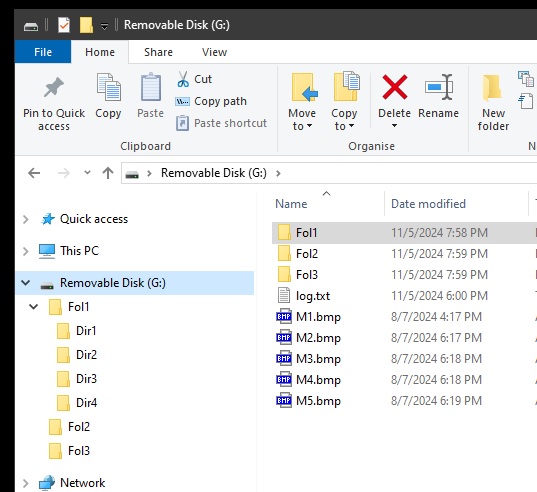
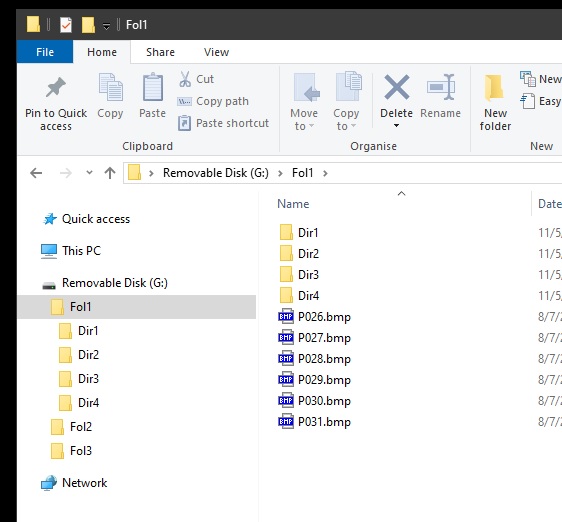
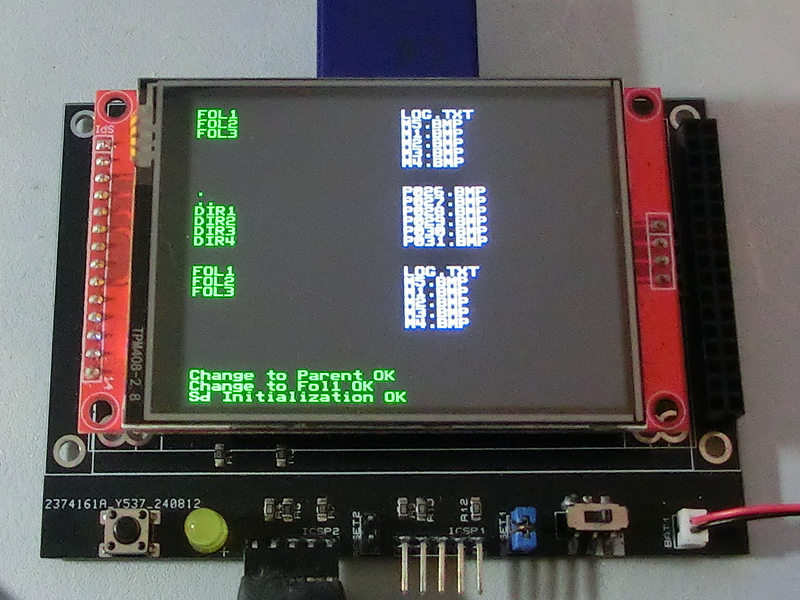
TftSetUp(0, 0) 'Set screen TftResetScreen(BLACK) 'Reset screen TftSetSndFont(0,0) 'Set Font0 While File_Init() <> cErrOK : Wend 'Initialize SD Card TftPrintSndString("Sd Initialization OK",1,0,0,1,GREEN,BLACK,0) 'Confirm Initialize SD Card DisplayFolderFile(28) 'Call file/folder list Proc, set display row 28 If File_ChDir("Fol1") = 1 Then 'Change current folder to Fol1 TftPrintSndString("Change to Fol1 OK",1,0,1,1,GREEN,BLACK,0) 'Confirm change folder To Fol1 DisplayFolderFile(20) 'Call file/folder list Proc, Set display row 20 Else TftPrintSndString("Change to Fol1 Fail",1,0,1,1,GREEN,BLACK,0) 'Folder change fail EndIf If File_ChDirUp() = 1 Then 'Return to parent directory TftPrintSndString("Change to Parent OK",1,0,2,1,GREEN,BLACK,0) 'Confirm change to parent folder DisplayFolderFile(12) 'Call file/folder list Proc, Set display row 12 Else TftPrintSndString("Change to Parent Fail",1,0,2,1,GREEN,BLACK,0) 'Folder change to parent fail EndIf End Proc DisplayFolderFile(wY As Word) bCounter = wY File_ListReset() 'Reset file/folder counter Do Clear sString sString = File_ListDir() 'Loop through folder names If sString = 0 Then Break 'Break if end of list TftPrintSndString(sString,1,0,bCounter,1,GREEN,BLACK,0) 'Print folder name Dec bCounter 'Move to next print line Loop bCounter = wY 'Vertical print counter File_ListReset() 'Reset file/folder counter Do 'Loop through file names Clear sString sString = File_ListFile() If sString = 0 Then Break 'Break if end of list TftPrintSndString(sString,1,20,bCounter,1,WHITE,BLACK,0) 'Print folder name Dec bCounter 'Move to next print line Loop EndProc |
|
|
Created with the Personal Edition of HelpNDoc: Achieve Professional Documentation Results with a Help Authoring Tool