File_Close()
… visits


File_Close()
The File_Close() command is used to properly close an open file on the SD card, ensuring that all pending data in the file buffer is written to the SD card, file size and FAT clusters are updated, and the file handle is released.
It is important to close a file before performing other file operations or removing the SD card.
File_Close()
Purpose:
1. Data Commit: Any buffered data that was written to the file is immediately written to the SD card.
2. File Size & FAT Update: The file size is updated, and the FAT clusters are recalculated to reflect the changes made to the file.
This ensures that the SD card’s filesystem remains consistent.
3. File Closure: The file handle is released, making the file no longer accessible until it is opened again.
Key Notes:
|
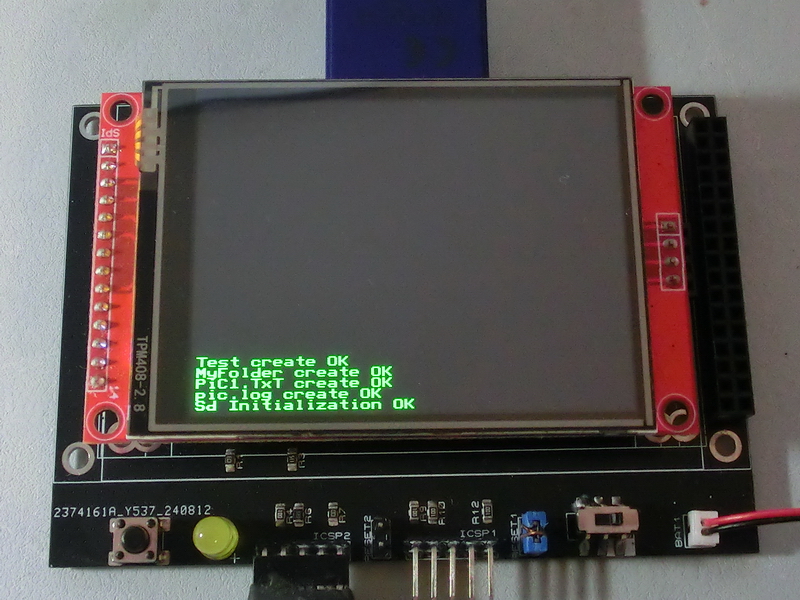
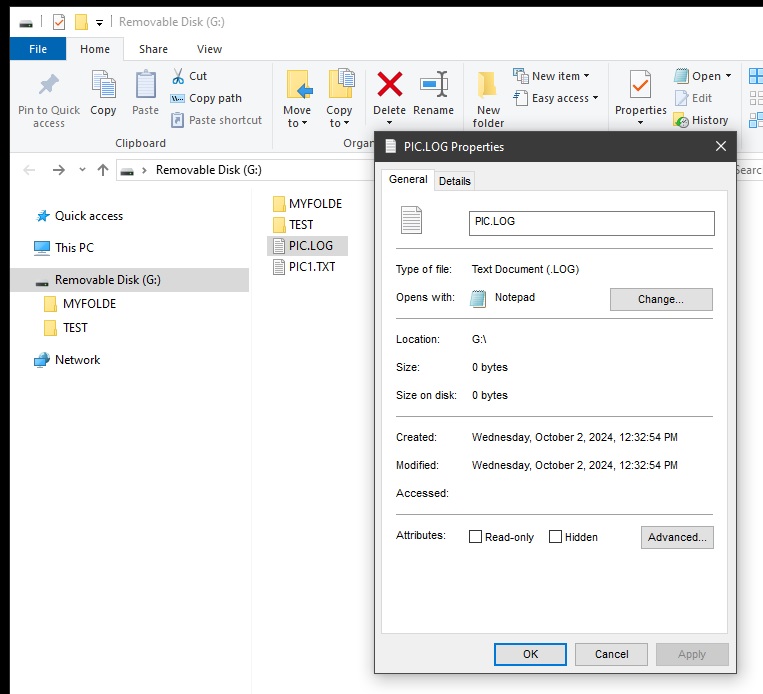
TftSetUp(0, 0) 'Set screen TftResetScreen(BLACK) 'Reset screen TftSetSndFont(0,0) 'Set Font0 While File_Init() <> cErrOK : Wend 'Initialize SD Card TftPrintSndString("Sd Initialization OK",1,0,0,1,GREEN,BLACK,0) 'Confirm Initialize SD Card File_TimeCreated(2,10,24,11,32,55) 'Set file created property While File_Create("pic.log") <> cErrOK : Wend 'Create pic.log TftPrintSndString("pic.log create OK",1,0,1,1,GREEN,BLACK,0) 'Confirm create Pic.log File_Close() 'Close pic.log While File_Create("PiC1.TxT") <> cErrOK : Wend 'Create PiC1.TxT TftPrintSndString("PiC1.TxT create OK",1,0,2,1,GREEN,BLACK,0) 'Confirm create PiC1.TxT File_Close() 'Close PiC1.TxT File_CreateDir("MyFolder") 'Create MyFolder directory TftPrintSndString("MyFolder create OK",1,0,3,1,GREEN,BLACK,0) 'Confirm create MyFolder File_CreateDir("Test") 'Create Test directory TftPrintSndString("Test create OK",1,0,4,1,GREEN,BLACK,0) 'Confirm create Test |
|
|
|
|
Created with the Personal Edition of HelpNDoc: Effortlessly Convert Your Markdown Content with HelpNDoc