File_DeleteFile()
… visits


File_DeleteFile(pFileName), Bit
pFileName: The name of the file to delete, which can be up to 12 characters in length (including the file extension and dot). The allowed format is a string of the form String * 12.
Return Values:
1 (Success): The file was successfully deleted from the SD card.
0 (Error): An error occurred during the deletion process, such as a read/write error.
The File_DeleteFile() command allows you to delete an existing file on the SD card. Before you can delete a file, you must ensure the file is either closed or flushed to prevent data corruption.
File_DeleteFile("Text.txt")
|
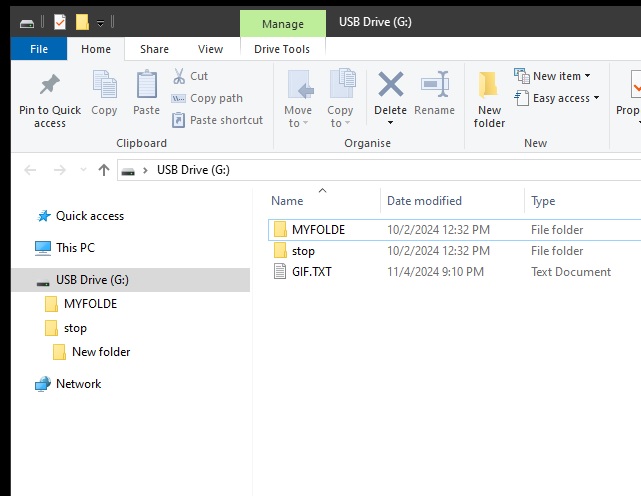
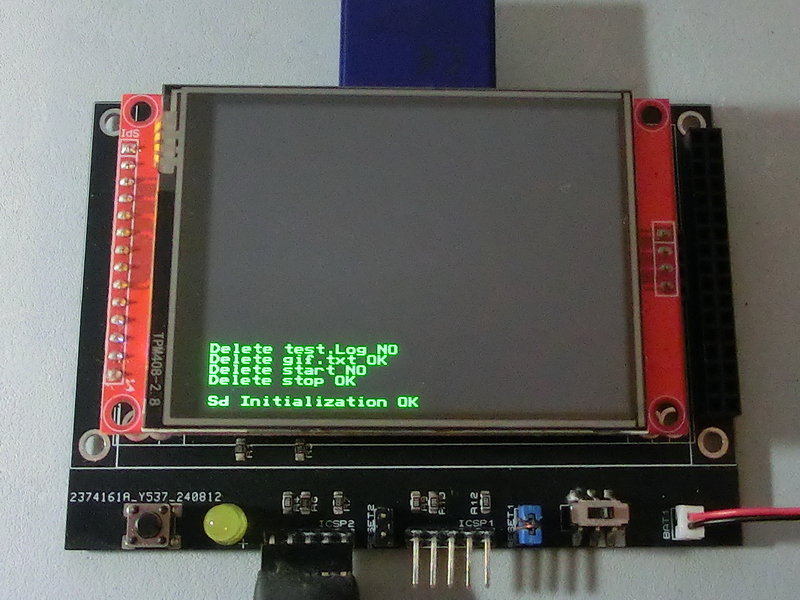
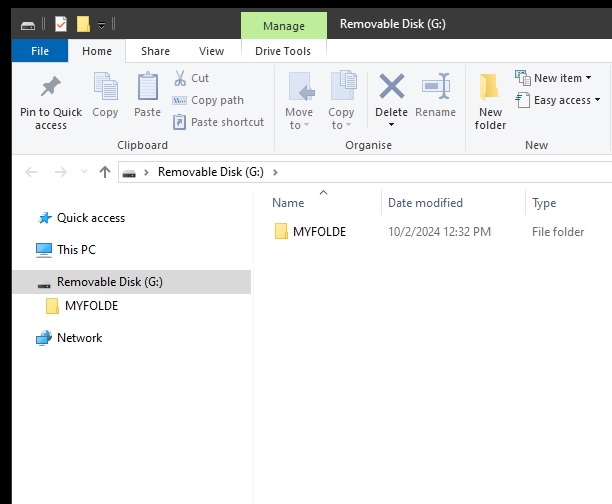
TftSetUp(0, 0) 'Set screen TftResetScreen(BLACK) 'Reset screen TftSetSndFont(0,0) 'Set Font0 While File_Init() <> cErrOK : Wend 'Initialize SD Card TftPrintSndString("Sd Initialization OK",1,0,0,1,GREEN,BLACK,0) 'Confirm Initialize SD Card If File_DeleteDir("stop") = 1 Then TftPrintSndString("Delete stop OK",1,0,2,1,GREEN,BLACK,0) 'stop folder deleted (expected) Else TftPrintSndString("Delete stop NO",1,0,2,1,GREEN,BLACK,0) 'stop folder not deleted EndIf If File_DeleteDir("start") = 1 Then TftPrintSndString("Delete start OK",1,0,3,1,GREEN,BLACK,0) 'start folder deleted Else TftPrintSndString("Delete start NO",1,0,3,1,GREEN,BLACK,0) 'start folder not deleted (expected) EndIf If File_DeleteFile("gif.txt") = 1 Then TftPrintSndString("Delete gif.txt OK",1,0,4,1,GREEN,BLACK,0) 'gif.txt deleted (expected) Else TftPrintSndString("Delete gif.txt NO",1,0,4,1,GREEN,BLACK,0) 'gif.txt not deleted EndIf If File_DeleteFile("test.log") = 1 Then TftPrintSndString("Delete test.Log OK",1,0,5,1,GREEN,BLACK,0) 'test.Log deleted Else TftPrintSndString("Delete test.Log NO",1,0,5,1,GREEN,BLACK,0) 'test.Log not deleted (expected) EndIf |
|
|
Created with the Personal Edition of HelpNDoc: Don't Let Unauthorized Users View Your PDFs: Learn How to Set Passwords