File_Rename()
… visits


File_Rename(pOldName, pNewName), Byte
pOldName: The current name of the file to be renamed. The string must be a maximum of 12 characters, including the file extension (e.g., MyFile.txt).
pNewName: The new name for the file. It also must be a string with a maximum length of 12 characters, including the extension.
|
Value |
Meaning |
|
cErrOK |
Success – the file was renamed successfully. |
|
cErrExists |
The new file name already exists – you cannot rename a file to a name that is already in use by another file or directory. |
|
cErrNotFound |
The old file name was not found – the file you're trying to rename doesn't exist. |
|
cErrRWError |
A read/write error occurred – there was an issue while renaming the file, possibly due to a disk error or filesystem issue. |
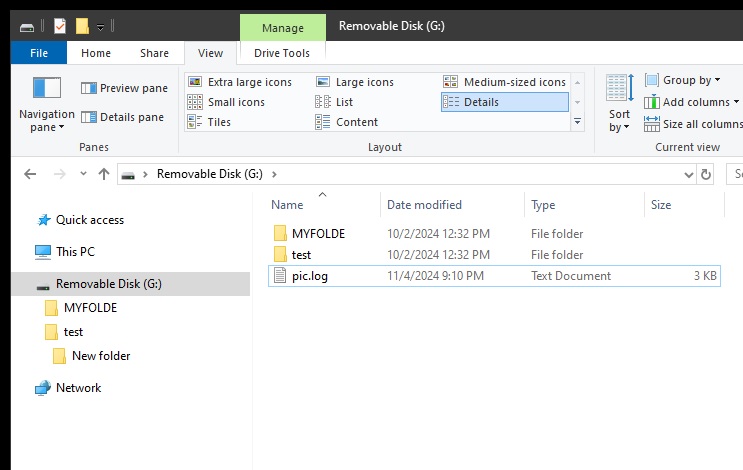
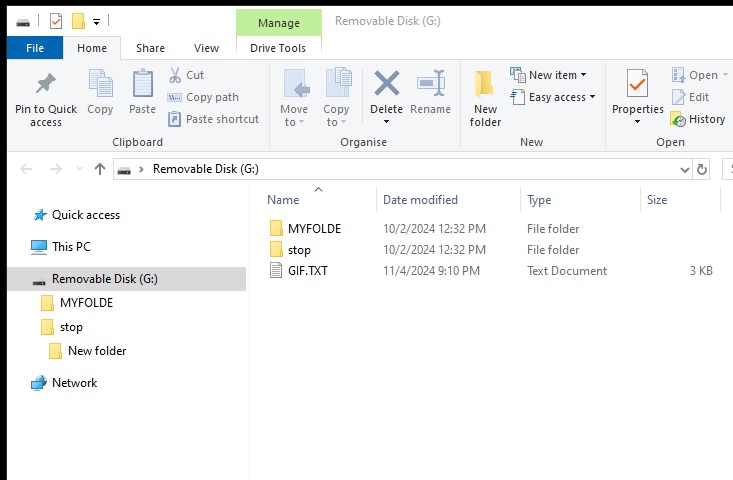
The File_Rename() command allows you to rename an existing file on the SD card. This operation modifies the file name in the filesystem while keeping the file content intact.
File_Rename("OldFile.txt", "NewFile.txt")
|
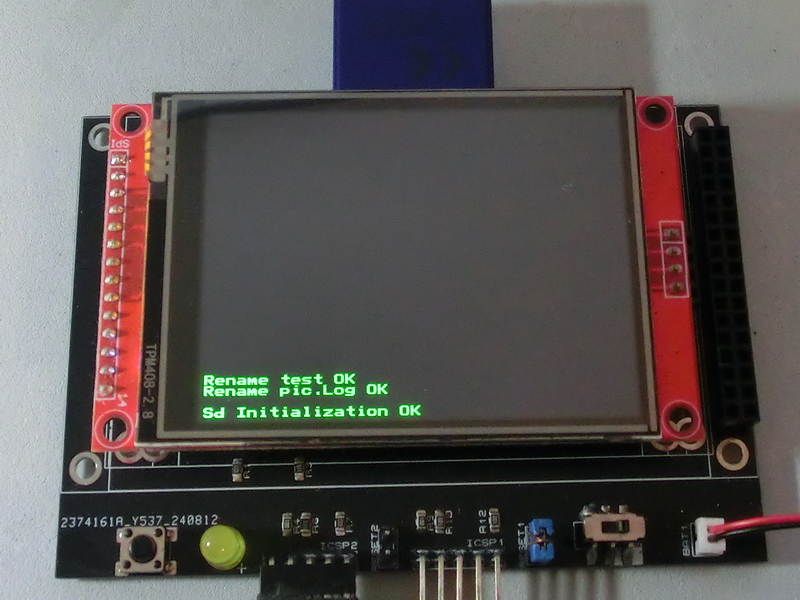
TftSetUp(0, 0) 'Set screen TftResetScreen(BLACK) 'Reset screen TftSetSndFont(0,0) 'Set Font0 While File_Init() <> cErrOK : Wend 'Initialize SD Card TftPrintSndString("Sd Initialization OK",1,0,0,1,GREEN,BLACK,0) 'Confirm Initialize SD Card While File_Rename("pic.log","gif.txt") <> cErrOK : Wend 'Rename file pic.log to gif.txt TftPrintSndString("Rename pic.Log OK",1,0,2,1,GREEN,BLACK,0) 'Confirm rename file pic.Log To gif.txt While File_RenameDir("test","stop") <> cErrOK : Wend 'Rename folder test to stop TftPrintSndString("Rename test OK",1,0,3,1,GREEN,BLACK,0) 'Confirm rename folder test To Stop |
|
|
Created with the Personal Edition of HelpNDoc: Easy CHM and documentation editor