File_OpenAt()
… visits


File_OpenAt(pFileNaAdd As Global_sFileName, dAddress As Dword), Byte
|
Parameter |
Description |
|
pFileNaAdd |
The name of the file to open (maximum length 12 characters, including dot and extension). |
|
dAddress |
The byte position within the file to move to before starting read or write operations. |
|
Value |
Meaning |
|
cErrOK |
Success. |
|
cErrNotFound |
File not found. |
|
cErrFileNotOpen |
File was not previously opened. |
|
cErrBeyondEOF |
Attempt to seek beyond the end of the file. |
|
cErrInUse |
File number is already in use. |
|
cErrRWError |
Read/write error. |
This procedure opens an existing file for reading or writing at a specified position. The maximum name length is 12 characters, including the file extension.
File_OpenAt("MyFile.txt", 25)
|
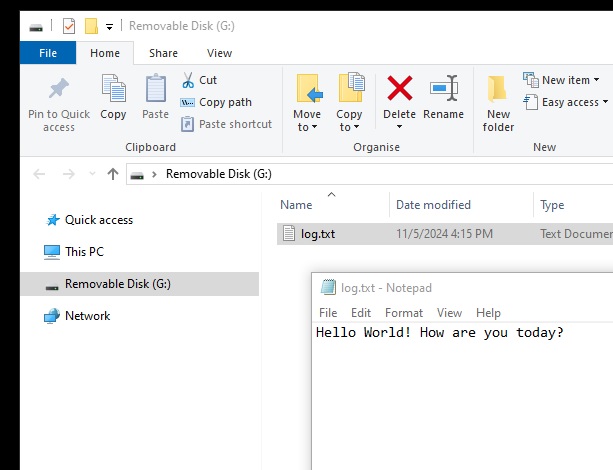
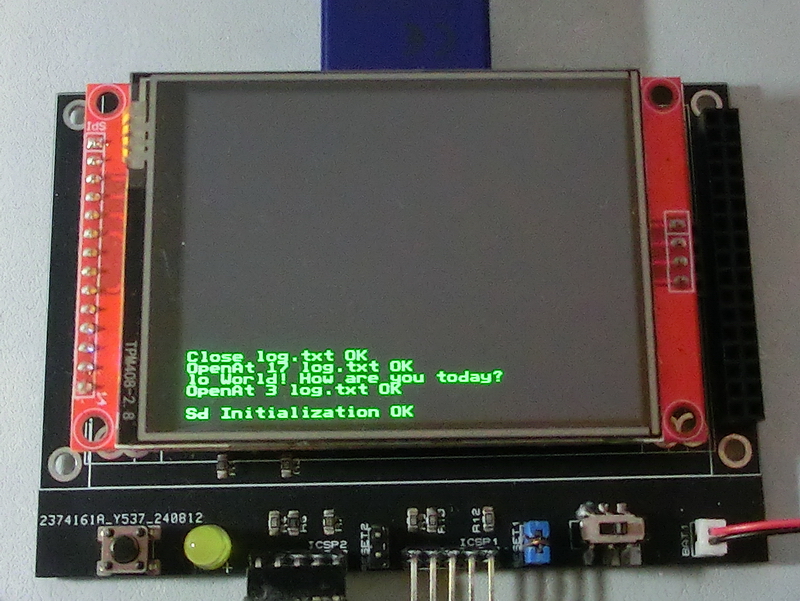
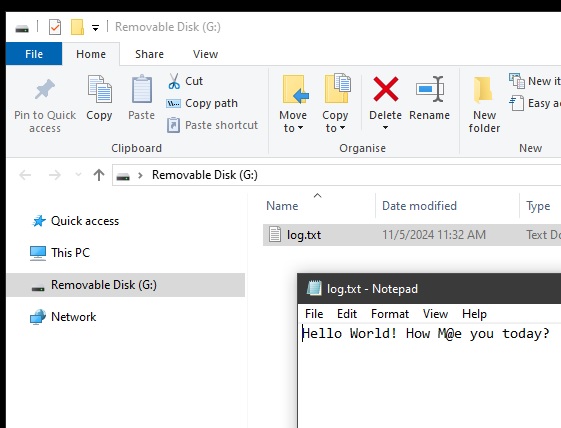
TftSetUp(0, 0) 'Set screen TftResetScreen(BLACK) 'Reset screen TftSetSndFont(0,0) 'Set Font0 While File_Init() <> cErrOK : Wend 'Initialize SD Card TftPrintSndString("Sd Initialization OK",1,0,0,1,GREEN,BLACK,0) 'Confirm Initialize SD Card While File_OpenAt("log.txt",3) <> cErrOK : Wend 'Open file Log.txt to read data from position 3 TftPrintSndString("OpenAt 3 log.txt OK",1,0,2,1,GREEN,BLACK,0) 'Confirm Log.txt is open bCounter = 0 'Print position counter Do TftPrintSndChar(File_ReadByte(),1,bCounter,3,1,GREEN,BLACK,0) 'Print data as text If File_EOF() = 1 Then Break 'Loop till end of file Inc bCounter Loop File_Close() 'Close file While File_OpenAt("log.txt",17) <> cErrOK : Wend 'Open file Log.txt to read data from position 17 TftPrintSndString("OpenAt 17 log.txt OK",1,0,4,1,GREEN,BLACK,0) 'Confirm Log.txt is open File_WriteByte("M") 'Write M at position 17 File_WriteByte("@") 'Write @ at position 18 File_TimeModified(5,11,24, 11,32,55) 'Set modified property File_Close() 'Close file TftPrintSndString("Close log.txt OK",1,0,5,1,GREEN,BLACK,0) 'Confirm Log.txt is closed |
|
|
Created with the Personal Edition of HelpNDoc: Import and export Markdown documents