File_TimeModified()
… visits


File_TimeModified(bDay As Byte, bMonth As Byte, bYear As Byte, bHours As Byte, bMinutes As Byte, bSeconds As Byte)
bDay (Byte): The day of the month (1–31).
bMonth (Byte): The month (1–12).
bYear (Byte): The year, starting from 2000 (e.g., for 2024, use 24).
bHours (Byte): The hour in 24-hour format (0–23).
bMinutes (Byte): The minutes (0–59).
bSeconds (Byte): The seconds (0–59).
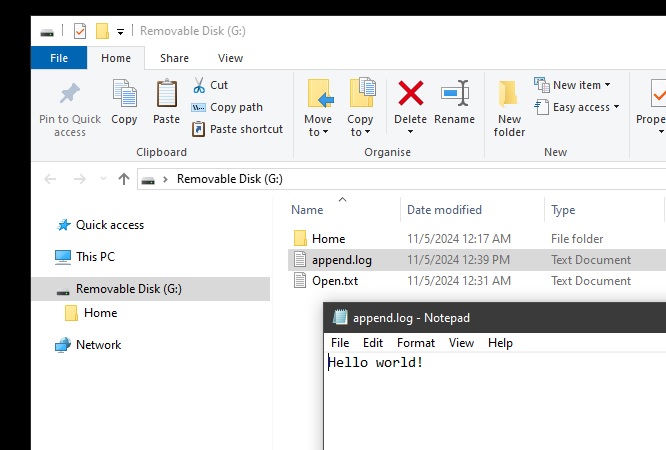
File_TimeModified() is used to set the "Modified" timestamp for a file. This timestamp reflects the date and time when the file was last modified.
The values are used to preload the "Modified" property, which will then be written to the file when it is closed using File_Close() or flushed using File_Flush().
File_TimeModified(2,11,24, 21,32,55)
When to Use:
|
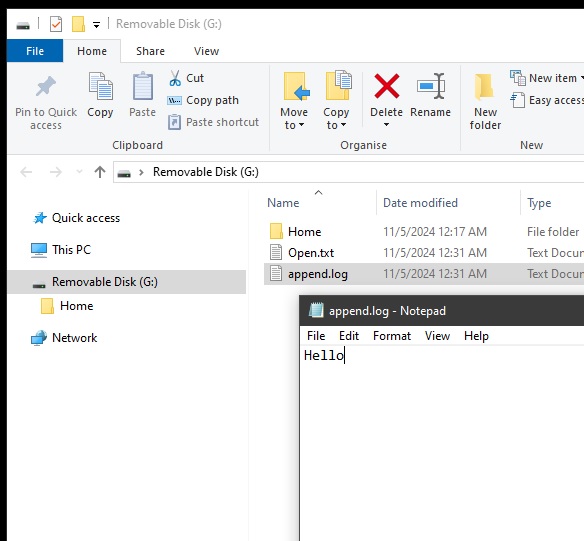
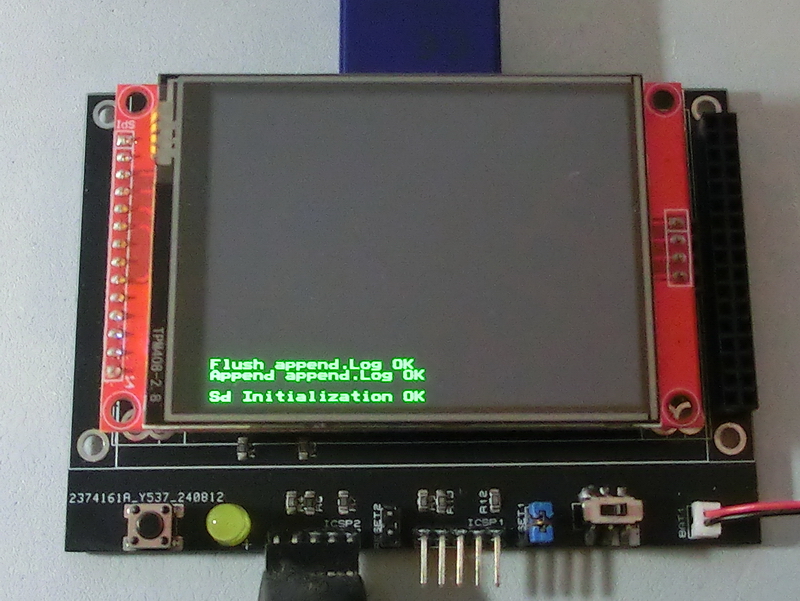
TftSetUp(0, 0) 'Set screen TftResetScreen(BLACK) 'Reset screen TftSetSndFont(0,0) 'Set Font0 While File_Init() <> cErrOK : Wend 'Initialize SD Card TftPrintSndString("Sd Initialization OK",1,0,0,1,GREEN,BLACK,0) 'Confirm Initialize SD Card File_TimeModified(5,11,24, 12,39,45) 'Set modified property While File_Append("append.log") <> cErrOK : Wend 'Open file append.log to edit data TftPrintSndString("Append append.log OK",1,0,2,1,GREEN,BLACK,0) 'Confirm append.log is open sString = " world!" 'Load string with data to be written For bCounter = 0 To 12 If sString[bCounter] = 0 Then Break 'break if end of string File_WriteByte(sString[bCounter]) 'write data to append.Log Next If File_Flush() = 1 Then TftPrintSndString("Append append.Log OK",1,0,3,1,GREEN,BLACK,0) 'confirm flush ok and good to remove card Else TftPrintSndString("Append append.Log NO",1,0,3,1,GREEN,BLACK,0) 'flush not ok and not good to remove card EndIf |
|
|
Created with the Personal Edition of HelpNDoc: Keep Your Sensitive PDFs Safe with These Easy Security Measures