Modern Mode Explained
… visits


Modern mode adds a file table to a RAW SD card. Each entry tells the application and your firmware where one picture or movie is stored and how to identify it. An alias such as BeetleL can therefore travel with the media itself.
This is the application's own RAW format. It is not FAT16 or FAT32, and Windows Explorer cannot browse it as a normal collection of files. Use Verify Card to inspect the contents.
|
Detail |
Legacy |
Modern |
|
Index space |
8 sectors (4096 bytes) |
4096 sectors (2 MiB) |
|
Maximum table entries |
1024 |
16,384, including freed entries |
|
First data sector |
8 |
4096 |
|
File identification |
Sector addresses; names are in the PC report |
Alias and original name are stored on the card |
|
Stored measurements |
Compact end-sector index |
Dimensions, exact byte length, video frames and frame rate |
|
Checking |
No per-file CRC32 |
CRC32 stored with each live file |
|
Replacing individual files |
No reusable-slot mechanism |
Free a slot and reuse its existing allocation |
|
Numeric fields |
Little-endian end-sector entries |
Big-endian multibyte fields; inclusive stop sectors |
The mode changes the index, not the RGB565 pixel format or the conversion controls. Choose the same mode when writing, appending or verifying a card. Changing an existing card to another mode requires a rebuild, which replaces its contents.
The beginning of the card is reserved for the table. Each slot is 128 bytes, so four slots fit in one 512-byte sector.
16384 slots x 128 bytes = 2097152 bytes = 2 MiB
2097152 bytes / 512 bytes per sector = 4096 sectors
Sectors 0 to 4095: header table
Sector 4096 onward: file data
For zero-based slot N:
tableSector = N / 4 (integer division)
byteOffset = (N mod 4) * 128
A live slot records the file's starting sector, its last data sector and the last sector reserved for that slot. BMP files retain their BMP structure. A movie is a sequence of RGB565 frames; its table entry supplies the dimensions and frame-rate information that the raw stream does not carry.
The Alias is the name your program can request with TftBmpFromSdRawAlias() or TftRgbFromSdRawAlias(). It is different from a Positron $define: the quoted alias is looked up on the card, while a $define expands to fixed values during compilation.
TftBmpFromSdRawAlias("BeetleL",136,96)
TftRgbFromSdRawAlias("OldFilmCountdown",40,40,0)
Image dimensions come from the BMP; movie dimensions come from its table entry. The coordinates identify the lower-left corner on the TFT. The examples assume the display and library are already configured.
Alias and Original Name each have a 40-byte field: up to 39 ASCII characters followed by a zero terminator. Long or repeated values receive a four-digit suffix. For example, a second Bird can become Bird0001; an overlong name keeps its first 35 characters followed by a suffix. Alias and Original Name are handled independently. Use the stored name shown by Verify Card or the generated report.
In Verify Card, select the × button and confirm. The application changes the slot's Media Type to 64 (free). Its data is not erased at that point, and the slot retains its original allocated range. It remains in the table and counts towards the 16,384-slot limit.
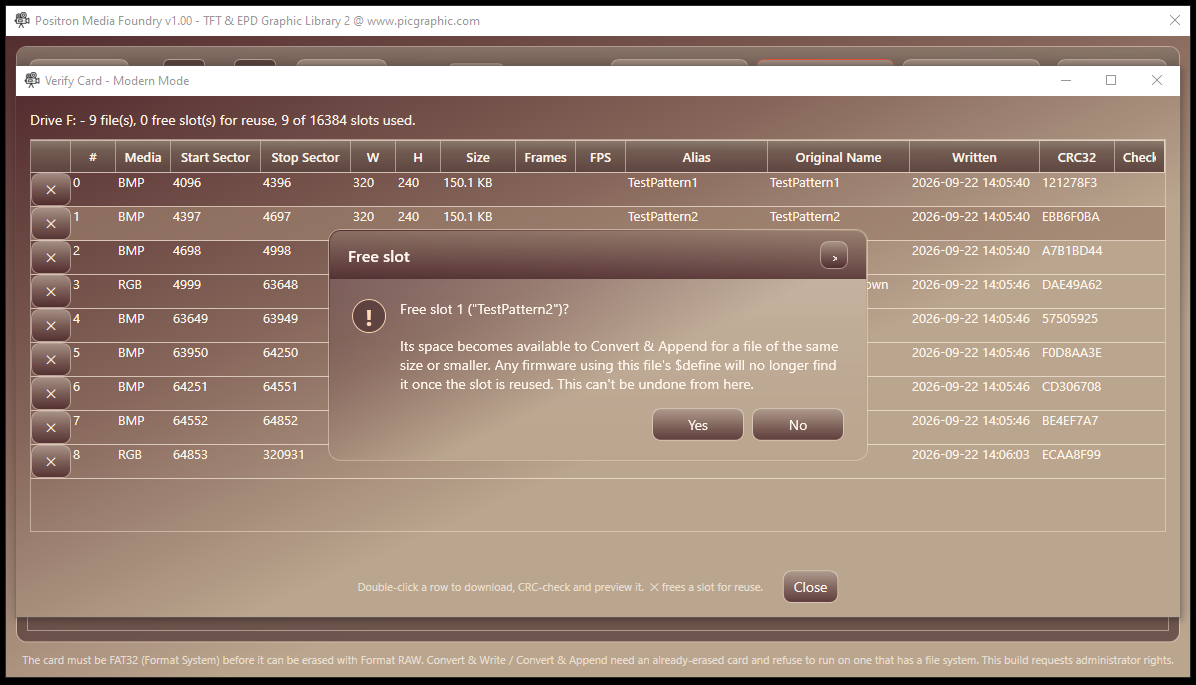
The confirmation identifies the slot that will be made available for reuse.
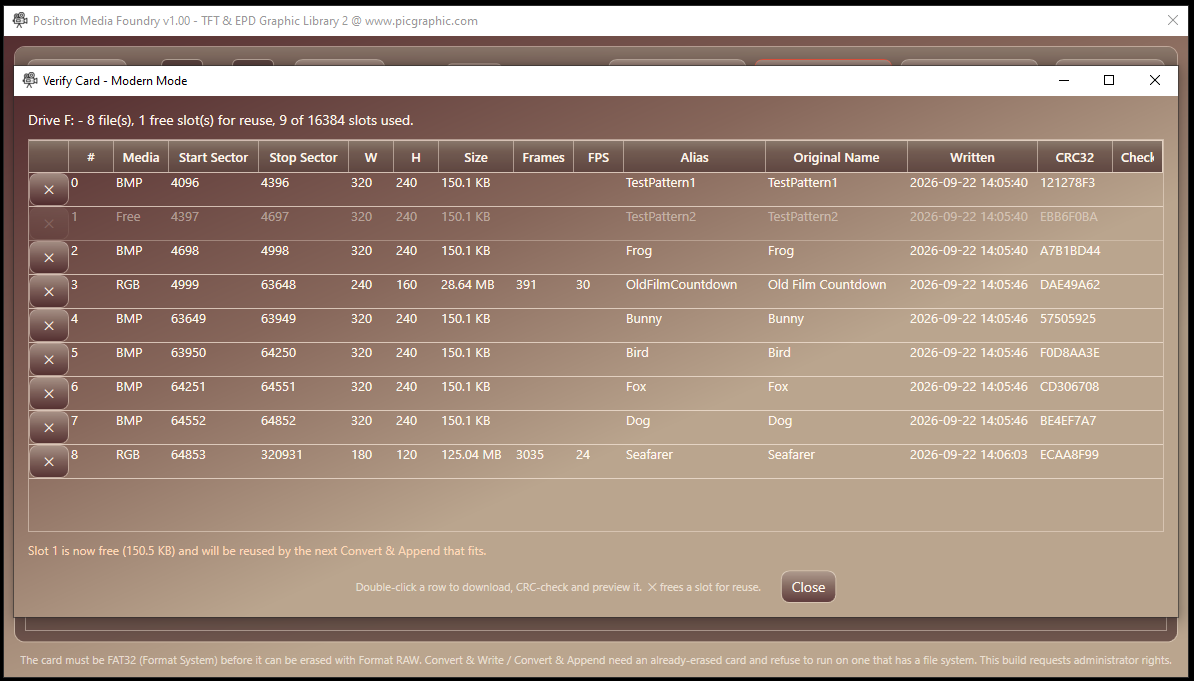
The free slot remains visible between live files; it is not the end of the table.
When Convert & Append runs, each file is converted to determine its size. The application chooses the lowest-numbered free slot with enough allocated space. If none fits, it adds a new slot and places the data after the highest allocated stop sector.
A smaller replacement changes the Stop Sector, but keeps the Start Sector and Allocated Stop. This preserves the slot's capacity for a later replacement.
Suppose a free slot owns sectors 4096 through 4195. That is 100 sectors, or 51,200 bytes. A new 20,000-byte file needs 40 sectors after rounding up.
|
Field |
Before reuse |
After writing the smaller file |
|
Start Sector |
4096 |
4096 |
|
Stop Sector |
End of the previous file |
4135 |
|
Allocated Stop |
4195 |
4195 |
|
Data Length |
Previous exact length |
20,000 bytes |
|
Reusable capacity after freeing again |
51,200 bytes |
51,200 bytes |
requiredSectors = ceil(dataLength / 512)
stopSector = startSector + requiredSectors - 1
capacityBytes = (allocatedStop - startSector + 1) * 512
Separate free slots are not combined into one larger allocation. A new file must fit a single free slot or use enough unused space after the last allocation. Existing sector-based $define values may point at different media after a slot is reused; update them or use the intended stored alias.
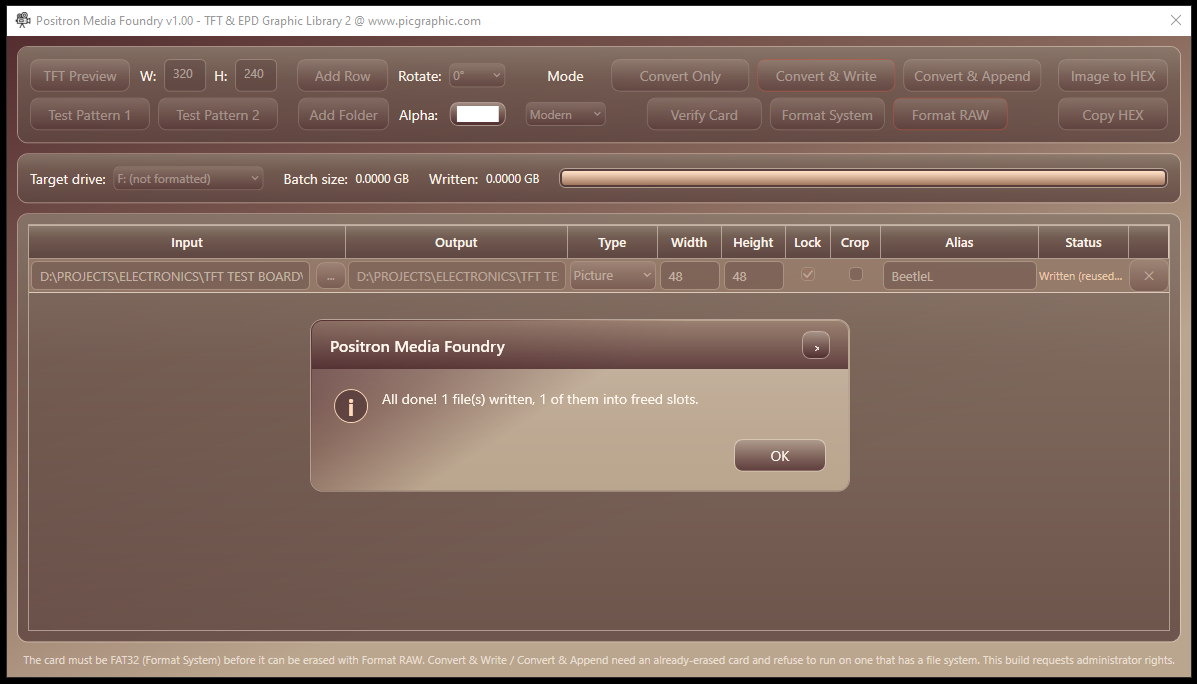
The completion message confirms that the new file reused an existing slot.
The writer stores a CRC32 over exactly Data Length bytes. Padding at the end of the last sector is excluded. Double-clicking a live file in Verify Card downloads those bytes and compares their CRC32 with the stored value.
OK means the two checksums match. FAIL means they differ; it does not, by itself, identify the card, reader or write operation as the cause. A failed file can still be previewed for inspection.
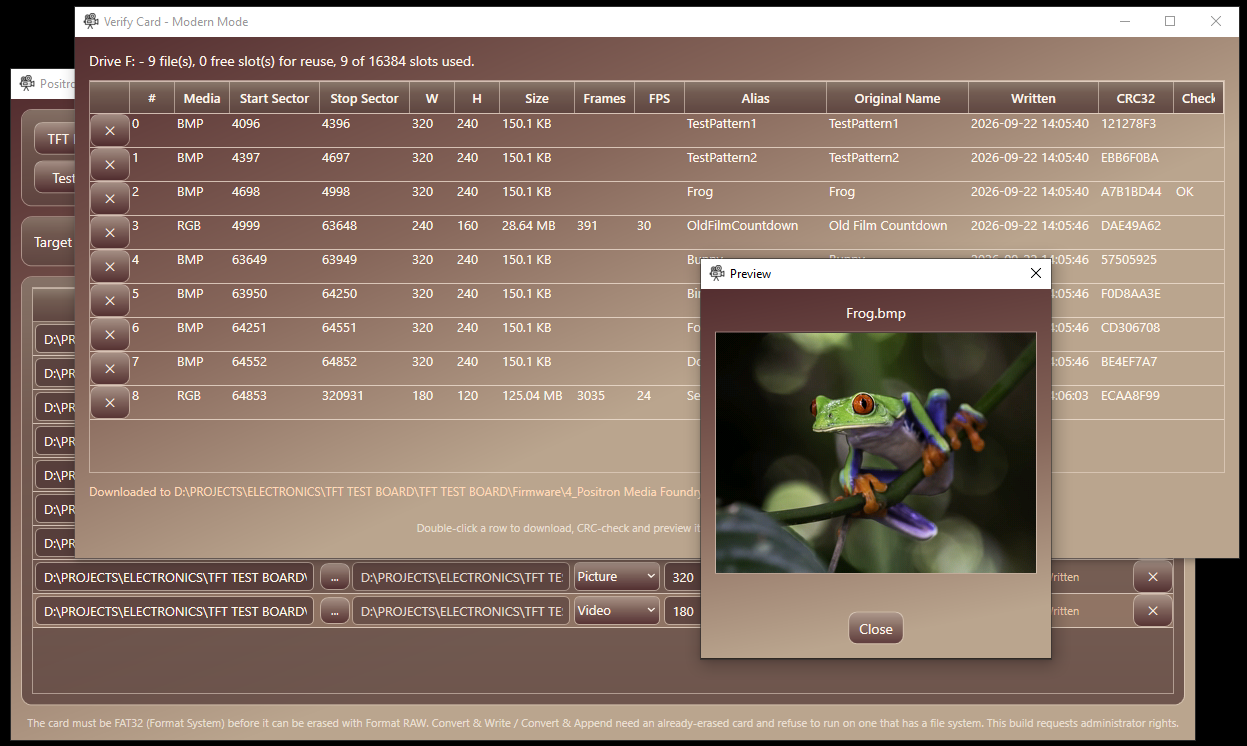
Verify Card checks a downloaded file before displaying the preview.
The CRC uses reflected polynomial 0xEDB88320, initial value 0xFFFFFFFF and final XOR 0xFFFFFFFF. The check value for the ASCII text 123456789 is 0xCBF43926.
All fields are packed without gaps. Multibyte numbers are unsigned and big-endian. The two stop values are inclusive; Legacy's compact index instead stores the sector after a file.
|
Bytes |
Field |
Notes |
|
0 |
Media Type |
0 = BMP, 1 = RGB, 64 = free (deleted, reusable), 128 = empty (never used) |
|
1–4 |
Start Sector |
32-bit unsigned - first sector of the file |
|
5–8 |
Stop Sector |
32-bit unsigned, inclusive - last sector holding the file's actual data (not one past the end, the way Legacy's index works) |
|
9–12 |
Allocated Stop |
32-bit unsigned, inclusive - last sector the slot owns. Set once when the slot is created and never lowered; see Freeing and reusing slots |
|
13–14 |
Width |
16-bit unsigned, pixels |
|
15–16 |
Height |
16-bit unsigned, pixels |
|
17–20 |
Data Length |
32-bit unsigned - exact file size in bytes, without the zero padding up to the next sector boundary |
|
21–24 |
Frame Count |
32-bit unsigned - RGB: number of frames (Data Length ÷ (Width × Height × 2)); BMP: 0 |
|
25–26 |
Frame Rate ×100 |
16-bit unsigned - RGB: frames per second × 100, e.g. 2500 = 25.00 fps, 2997 = 29.97 fps; BMP or unknown: 0 |
|
27–30 |
CRC32 |
32-bit unsigned - checksum of the Data Length bytes (see CRC32 below) |
|
31 |
Day |
1–31 |
|
32 |
Month |
1–12 |
|
33–34 |
Year |
16-bit unsigned, e.g. 2026 |
|
35 |
Hour |
0–23 |
|
36 |
Minute |
0–59 |
|
37 |
Second |
0–59 - the date and time are the PC's local time when the file was written |
|
38–77 |
Alias |
40 bytes: up to 39 ASCII characters, then a 0 terminator |
|
78–117 |
Original Name |
40 bytes: up to 39 ASCII characters, then a 0 terminator |
|
118–127 |
Reserved |
Always 0 - 10 bytes free for future use |
Unused bytes after each text terminator are zero. Original Name omits the source extension. The date and time describe when the PC wrote the file, using the PC's local time.
The desktop application can keep a copy of the table in memory, but firmware can scan one 512-byte sector at a time. Process its four slots, then read the next sector. The following is a format-reading outline, not Positron source code:
for each slot from 0 through 16383:
read Media Type and Start Sector
if Media Type = 128 or Start Sector = 0:
stop: no more initialized slots
if Media Type = 64:
continue: this slot is free
if Media Type is neither 0 nor 1:
reject this unsupported entry
read the remaining fields as big-endian numbers
use Data Length bytes beginning at Start Sector
Do not stop at a free slot: later live files may follow it. A zero-filled card without a Modern index has no valid live file merely because the Media Type byte is zero. The Start Sector check prevents that misinterpretation.
For a movie, Frame Rate ×100 stores values such as 2500 for 25.00 fps or 2997 for 29.97 fps. The target period between the starts of consecutive frames is:
framePeriodUs = 100000000 / storedRate100
2500 -> 40000 microseconds per frame (25 fps)
This is a complete frame period, not a delay that can simply be added after a full frame has already been drawn. A timed renderer accounts for reading and drawing time. The alias procedure's bDelayUs is only an additional Byte-sized delay from 0 to 255 microseconds; the stored rate does not establish that the library automatically paces playback. A stored rate of zero means unknown and must not be used as a divisor.
The application's TFT Preview uses a fixed 25 fps. Treat it as a preview of the converted content, not a measurement of your PIC's achievable playback rate.
Rebuilding erases existing contents. Appending to a valid Modern card does not require formatting again. Switching modes or replacing an incompatible development format requires the full rebuild sequence.
Positron Media Foundry · User Manual · RAW / No file system · TftBmpFromSdRaw() · TftRgbFromSdRaw()
Created with the Personal Edition of HelpNDoc: Full-featured EPub generator