TftSetOrientation()
… visits


TftSetOrientation(bOrientation As Byte)
|
Parameter |
Description |
|
bOrientation |
Origin and Direction |
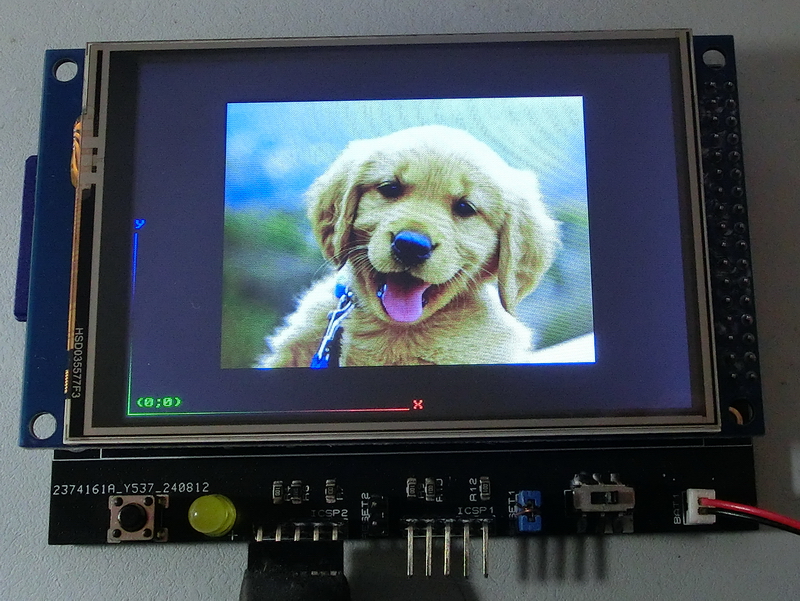
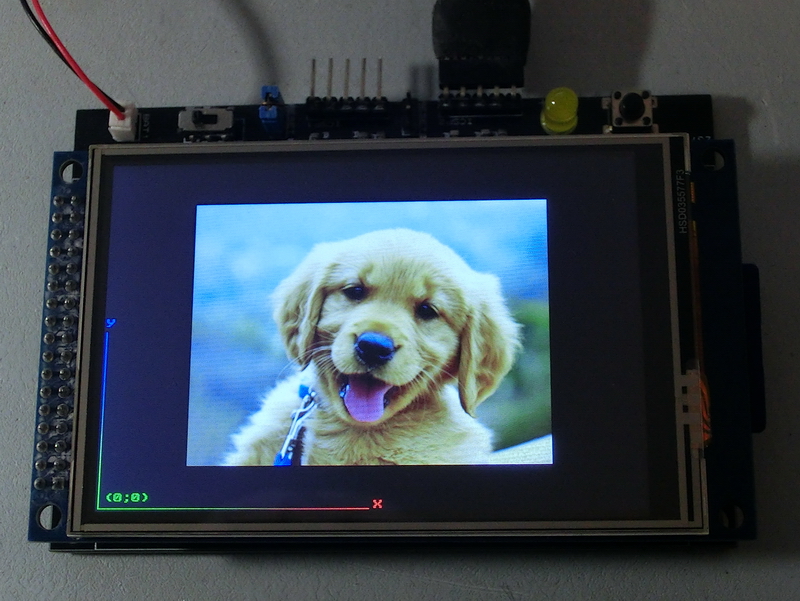
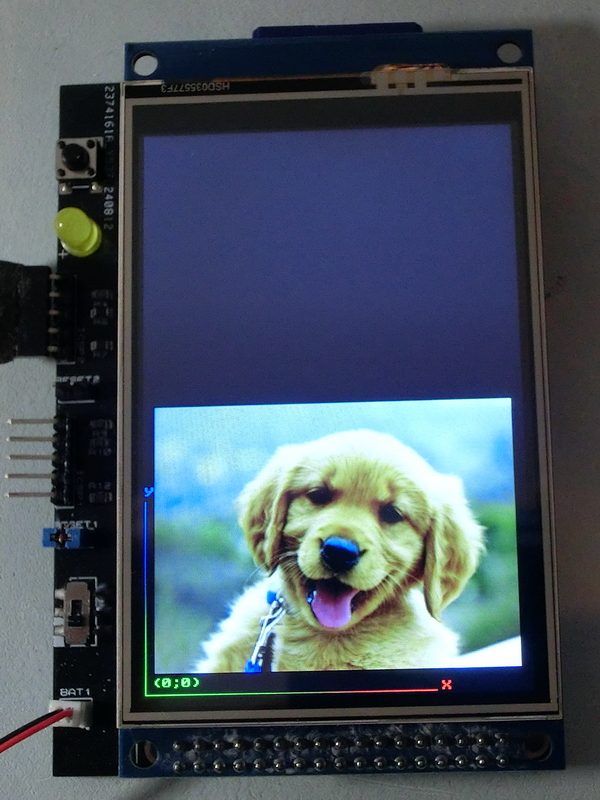
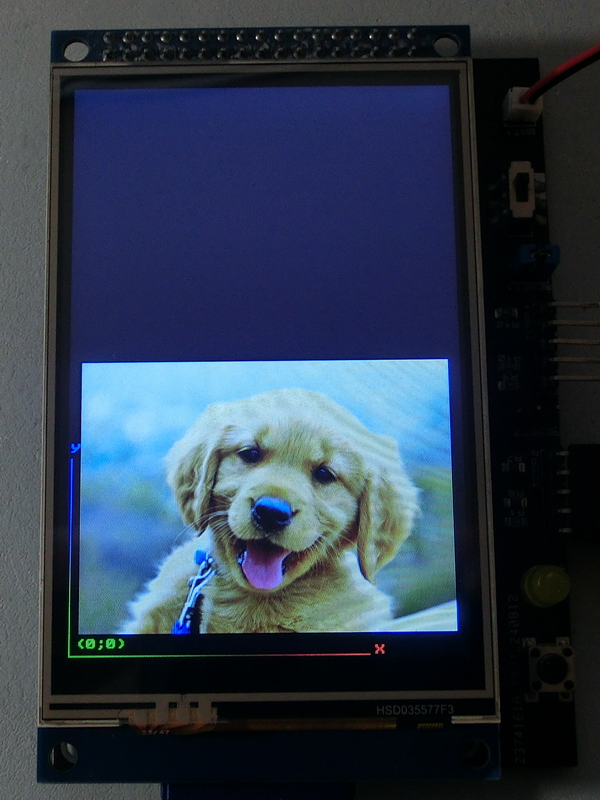
This command changes the screen’s point of origin.
By default, the width is considered the larger dimension, such as 320x240, where Width = 320 and Height = 240.
TftSetOrientation(1)
The TFT screen orientation can be dynamically changed at any point in the program.
This graphic library always works in the first quadrant, with positive X extending to the right and Y extending upwards.
The TftSetOrientation() function only changes the corner of the screen that is considered the origin (0,0).
This allows the same string or graphic to be displayed differently depending on the selected orientation.
|
TftSetUp(0, 0) TftResetScreen(BLACK) TftPrintSndString("(0;0)",1,1,1,1,GREEN,BLACK,0) TftLineHNG(2,240,2,GREEN,RED) TftPrintSndChar("X",1,245,2,0,RED,BLACK,0) TftLineVNG(2,2,160,GREEN,BLUE) TftPrintSndChar("Y",1,2,165,0,BLUE,BLACK,0) 'TftBmpFromSD("dog.bmp",10,20) TftBmpFromSD("dog.bmp",80,40) |
|
|
|
Created with the Personal Edition of HelpNDoc: Transform Your CHM Help File Creation Process with HelpNDoc