TftSetUp()
… visits


TftSetUp(bOrientation As Byte, bPanel As Byte)
|
Parameter |
Description |
|
bOrientation |
Display origin and scan direction (Width × Height), defines the screen orientation relative to the fixed origin.(1)(3) |
|
bPanel |
Panel / driver variant selector. Selects a panel-specific driver configuration when required.(2) |
This command sets the initial orientation and configuration of the TFT screen according to bOrientation and loads the corresponding IC driver.
(1) The coordinate origin is always at the bottom-left corner. Pixel addressing increases left-to-right and bottom-to-top.
(2) Some TFT driver ICs require panel-dependent analog tuning parameters. For such cases, the TFT Library provides multiple tested initialization profiles.
Refer to the TFT Library 2 Guide to determine whether your specific display panel and driver IC require a dedicated setup.
In most cases, a single universal driver configuration is sufficient. When no panel-specific tuning is required, the bPanel parameter is ignored.
(3) By default, the width is considered the larger dimension (e.g., 320x240), so Width = 320 and Height = 240.
TftSetUp(0,0)
This setup should only be called at the beginning of the program. To change the current orientation use TftSetOrientation()
The TFT screen orientation can be dynamically changed at any point during the program.
The graphic library always operates in the first quadrant (i.e., positive X to the right and Y upwards).
Changing the orientation alters which corner of the screen is considered the origin (0,0).
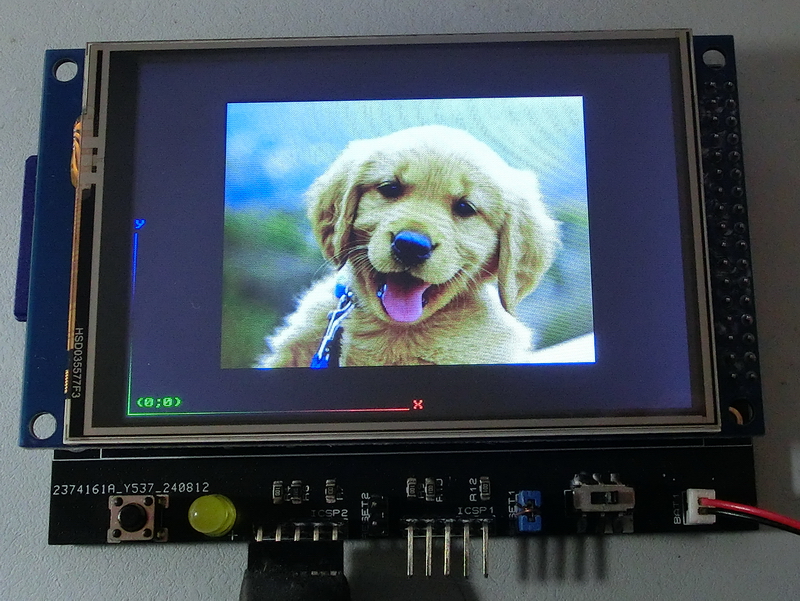
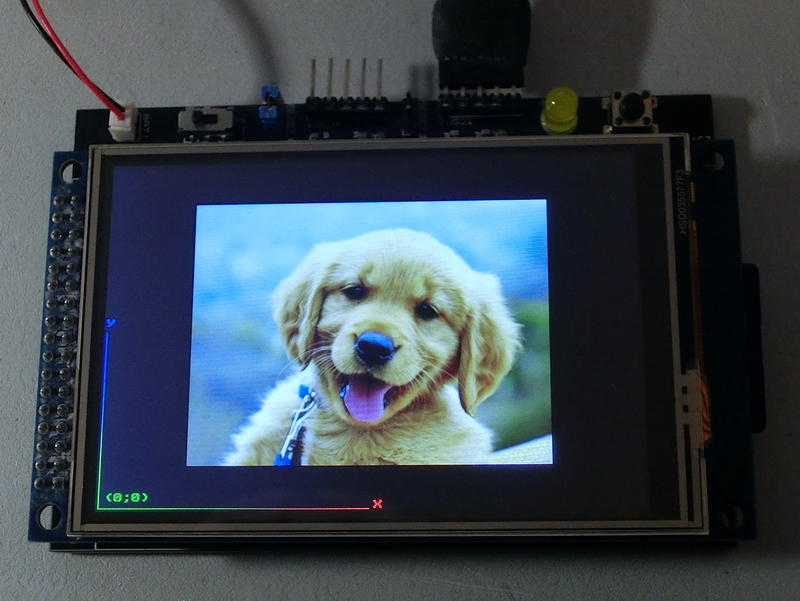
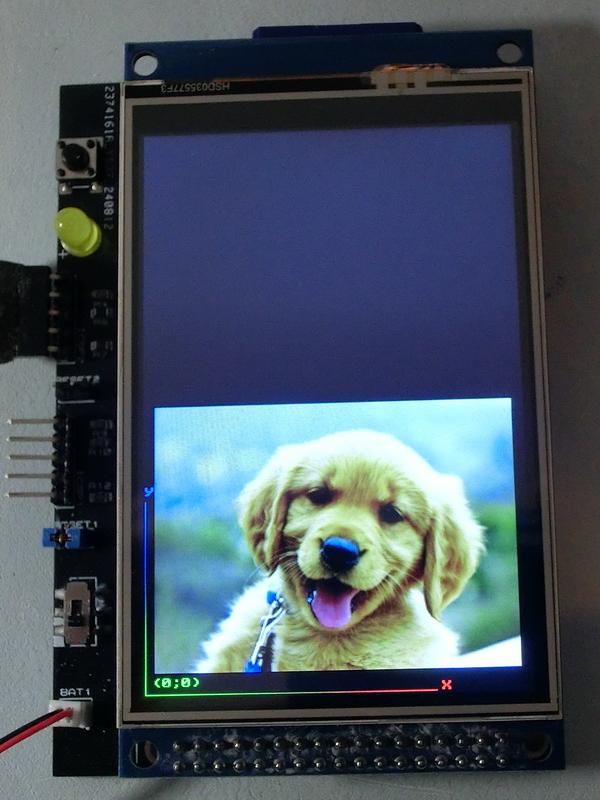
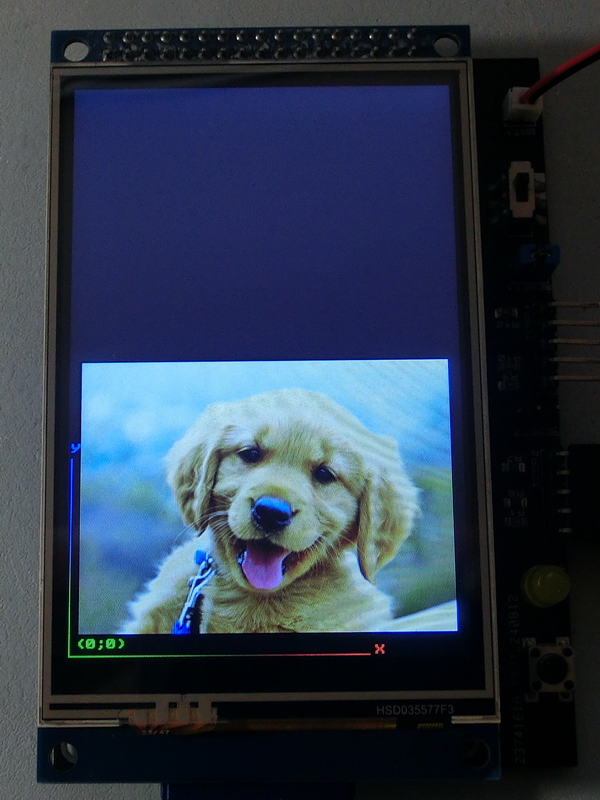
This command demonstrates how the same string would be printed with four different screen orientations.
|
TftSetUp(0, 0) TftResetScreen(BLACK) TftPrintSndString("(0;0)",1,1,1,1,GREEN,BLACK,0) TftLineHNG(2,240,2,GREEN,RED) TftPrintSndChar("X",1,245,2,0,RED,BLACK,0) TftLineVNG(2,2,160,GREEN,BLUE) TftPrintSndChar("Y",1,2,165,0,BLUE,BLACK,0) 'TftBmpFromSD("dog.bmp",10,20) TftBmpFromSD("dog.bmp",80,40) |
|
|
|
Created with the Personal Edition of HelpNDoc: Make the switch to CHM with HelpNDoc's hassle-free WinHelp HLP to CHM conversion tool