Touch_HotSpot
Syntax
Assignment Variable = Touch_HotSpot Xpos Start, Ypos Start, Xpos End, Ypos End
Overview
Indicate when a user defined area on the graphic LCD's resistive touch membrane has been touched.
Parameters
Xpos Start can be any valid variable type that holds the X position for the start of the touch window. Can be a value from 0 to the LCD's X resolution. Ypos Start can be any valid variable type that holds the Y position for the start of the touch window. Can be a value from 0 to the LCD's Y resolution. Xpos End can be any valid variable type that holds the X position for the end of the touch window. Can be a value from 0 to the LCD's X resolution. Ypos End can be any valid variable type that holds the Y position for the end of the touch window. Can be a value from 0 to the LCD's Y resolution. Assignment Variable can be any valid variable type and holds 1 if the touch screen membrane has been touched within the window's bounds.
The Windowed area's X and Y start positions are top left of the LCD, as in the other pixel based routines.
Example
' Demonstrate the Touch_HotSpot command
'
  Device = 24HJ128GP502             ' Select the device to compile for
  Declare Xtal = 79.23
  Declare Hserial_Baud = 9600       ' USART1 Baud rate
  Declare Hrsout1_Pin = PORTB.14    ' Select the pin used for TX with USART1
'
' Setup the touch screen chip's pins
'
  Declare Touch_DINPin = PORTB.13   ' Connect to the ADS7846 DIN pin
  Declare Touch_DOUTPin = PORTB.12  ' Connect to the ADS7846 DOUT pin
  Declare Touch_CLKPin = PORTB.11   ' Connect to the ADS7846 CLK pin
  Declare Touch_CSPin = PORTB.9     ' Connect to the ADS7846 CS pin

  Include "TouchScreen.inc" ' Load the touch screen routines into the program
'
' Configure the internal oscillator to operate the device at 79.23MHz
'
  PLL_Setup(43, 2, 2, $0300)
  RPOR7 = 3                         ' Make PPS Pin RP14 U1TX
'
' Transmit a message if the LCD is touched within a window 40 pixels square
'
  Do
     If Touch_Active = 1 Then       ' Has the LCD been touched?
       Touch_Read                  ' Read the touch X and Y
       If Touch_HotSpot 0, 0, 40, 40 = 1 Then
          HRSOut "Touched at X ", Dec Touch_Xpos, ", Y ", Dec Touch_Ypos, 13
          DelayMs 100
       EndIf
     EndIf
  Loop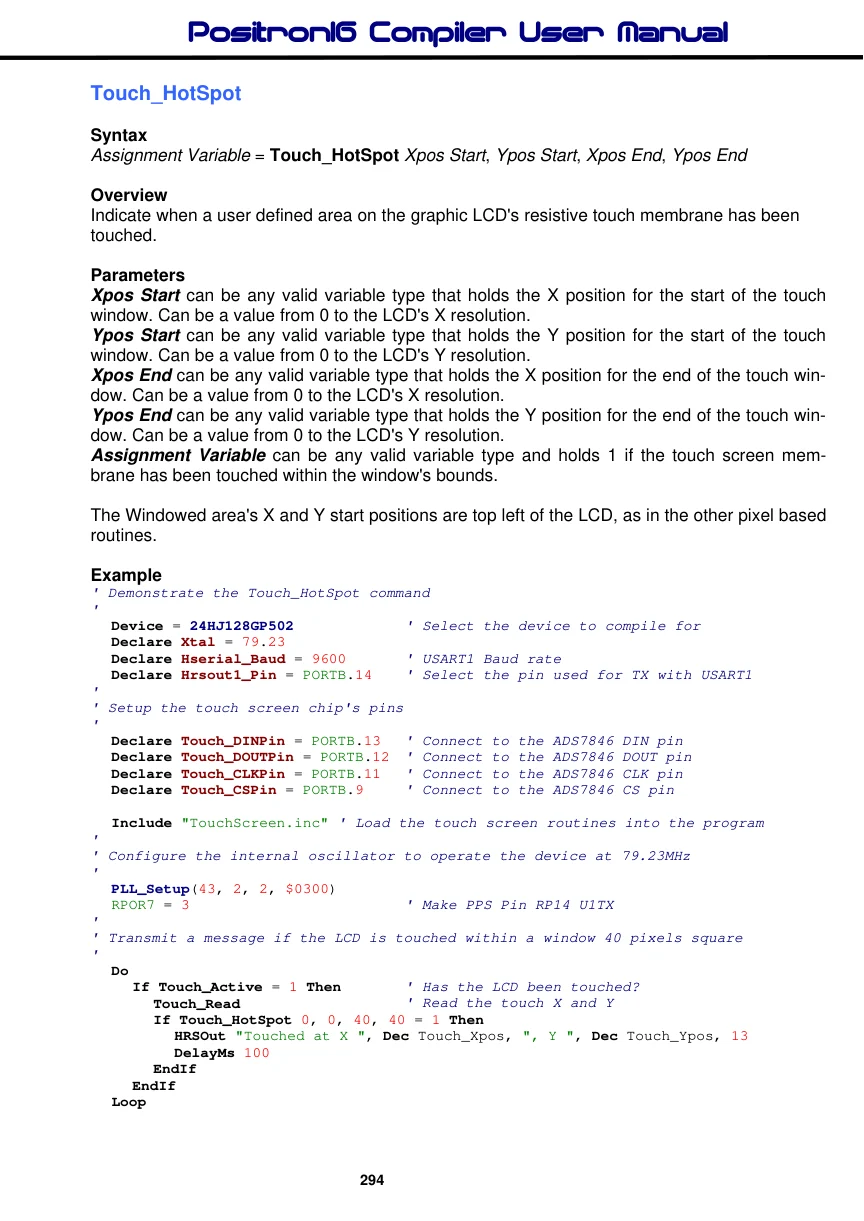
'--------------------------------------------------------------------------
' Configure for internal 7.37MHz oscillator with PLL
' OSC pins are general purpose I/O
'
  Config FBS = BWRP_WRPROTECT_OFF, BSS_NO_FLASH, BSS_NO_BOOT_CODE
  Config FSS = SWRP_WRPROTECT_OFF, SSS_NO_FLASH, RSS_NO_SEC_RAM
  Config FGS = GWRP_OFF, GCP_OFF
  Config FOSCSEL = FNOSC_FRCPLL, IESO_ON
  Config FOSC = POSCMD_NONE, OSCIOFNC_ON, IOL1WAY_OFF, FCKSM_CSDCMD
  Config FWDT = WDTPOST_PS256, WINDIS_OFF, FWDTEN_OFF
  Config FPOR = FPWRT_PWR128, ALTI2C_OFF
  Config FICD = ICS_PGD1, JTAGEN_OFF
Notes.
The touch screen commands used by the compiler are for use with an ADS7846 touch screen controller device. This device uses an SPI interface and connects to a 4-wire resistive touch screen membrane to give X and Y coordinates, as well as touch pressure.
The routines must be incorporated into the BASIC program by use of an include file named "TouchScreen.inc". This is written in Positron16 BASIC so that modifications or improvements are easy. It also exposes how the touch screen is interfaced with.
See Also. Touch_Active, Touch_Read.
