Toshiba_Command
Syntax
Toshiba_Command Command, Value
Overview
Send a command with or without parameters to a Toshiba T6963 graphic LCD.
Parameters
Command can be a constant, variable, or expression, that contains the command to send to the LCD. This will always be an 8-bit value. Value can be a constant, variable, or expression, that contains an 8-bit or 16-bit parameter associated with the command. An 8-bit value will be sent as a single parameter, while a 16-bit value will be sent as two parameters. Parameters are optional as some commands do not require any. Therefore if no parameters are included, only a command is sent to the LCD.
Because the size of the parameter is vital to the correct operation of specific commands, you can force the size of the parameter sent by issuing either the text “Byte” or “Word” prior to the parameter’s value.
Toshiba_Command $C0, Byte $FF01 ' Send the low byte of the 16-bit value.
Toshiba_Command $C0, Word $01     ' Send a 16-bit value regardless.
The explanation of each command is too lengthy for this document, however they can be found in the Toshiba T6963C datasheet.
Example
' Toshiba T6963C Command demo
'
  Device = 24FJ64GA002               ' Select the device to compile for
  Declare Xtal = 16
'
' Toshiba T6963C graphic LCD Pin configuration
'
  Declare LCD_Type = Toshiba         ' LCD's type is Toshiba T6963C
  Declare LCD_DTPort = PORTB.Byte0    ' The LCD's 8-bit Data port
  Declare LCD_WRPin = PORTB.12        ' The LCD's WR pin
  Declare LCD_RDPin = PORTB.11        ' The LCD's RD pin
  Declare LCD_CEPin = PORTB.10        ' The LCD's CE pin
  Declare LCD_CDPin = PORTB.8         ' The LCD's CD pin
  Declare LCD_RSTPin = PORTB.9       ' The LCD's RST pin (optional)
'
' Toshiba T6963C graphic LCD setup configuration
'
  Declare LCD_Font_Width = 8          ' The font width ( 6 or 8)
  Declare LCD_X_Res = 128             ' The X resolution of the LCD
  Declare LCD_Y_Res = 64              ' The Y resolution of the LCD
  Declare LCD_Text_Home_Address = 0   ' The home address of the LCD
  Declare LCD_RAM_Size = 8192        ' The amount of RAM the LCD contains
  Declare LCD_Text_Pages = 1          ' The amount of text pages required

  Include "T6963C.inc"  ' Load the Toshiba T6963C routines into the program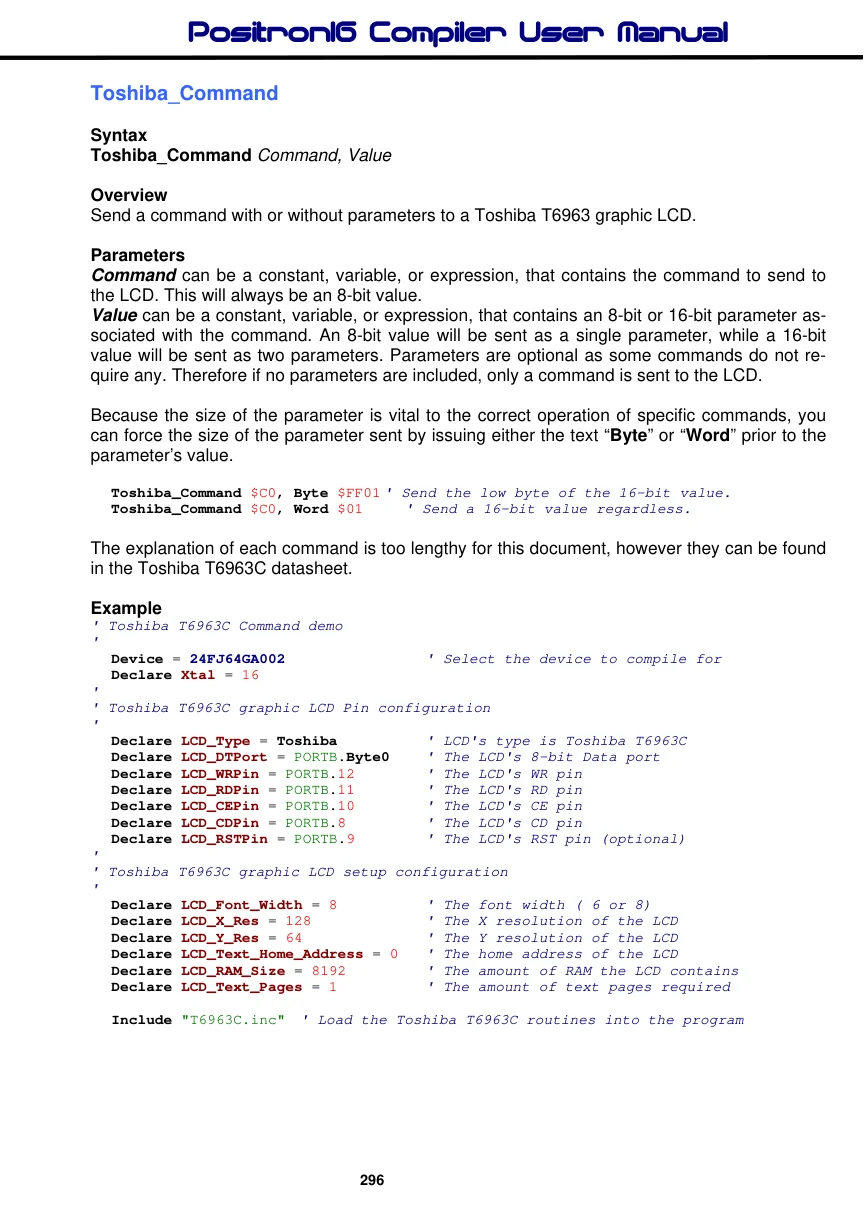
    Dim PanLoop As Byte
    Dim Ypos As Byte
'---------------------------------------------------------------------------
Main:
  Cls                                         ' Clear Text and Graphic RAM
'
' Place text on two screen pages
'
  For Ypos = 1 To 6
     Print At Ypos,0,"  THIS IS PAGE ONE     THIS IS PAGE TWO"
  Next
'
' Draw a box around the display
'
  Line 1,0,0,127,0                            ' Top line
  LineTo 1,127,63                             ' Right line
  LineTo 1,0,63                               ' Bottom line
  LineTo 1,0,0                                ' Left line
'
' Pan from one screen to the next then back
'
  Do                                         ' Create an infinite loop
     '
     ' Increment the Text home address
     '
     For PanLoop = 0 To 23
       Toshiba_Command cT6963_SET_TEXT_HOME_ADDRESS , Word PanLoop
       DelayMs 200
     Next
     DelayMs 200
     '
     ' Decrement the Text home address
     '
     For PanLoop = 23 To 0 Step -1
       Toshiba_Command cT6963_SET_TEXT_HOME_ADDRESS , Word PanLoop
       DelayMs 200
     Next
     DelayMs 200
  Loop                                        ' Do it forever
Notes.
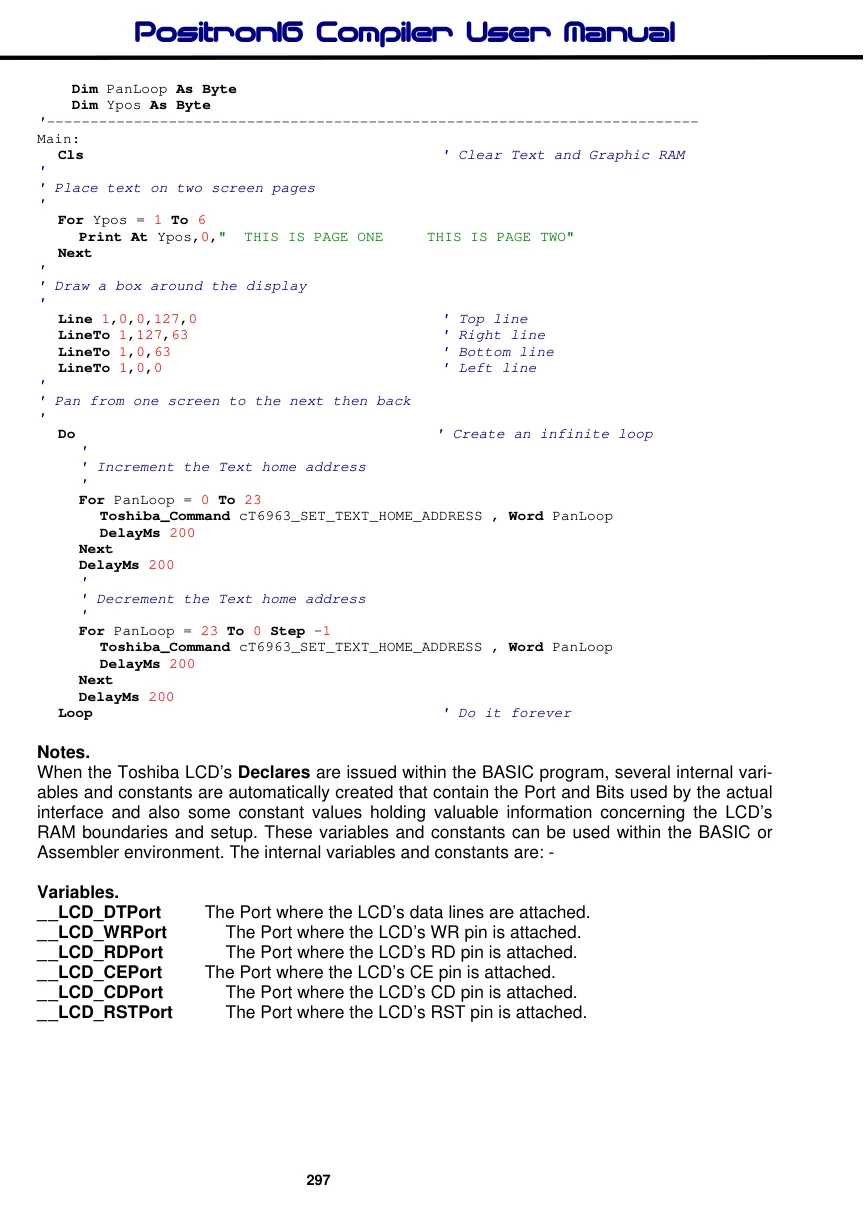
When the Toshiba LCD’s Declares are issued within the BASIC program, several internal variables and constants are automatically created that contain the Port and Bits used by the actual interface and also some constant values holding valuable information concerning the LCD’s RAM boundaries and setup. These variables and constants can be used within the BASIC or Assembler environment. The internal variables and constants are: -
Variables.
| _ _LCD_DTPort | The Port where the LCD’s data lines are attached. |
| _ _LCD_WRPort | The Port where the LCD’s WR pin is attached. |
| _ _LCD_RDPort | The Port where the LCD’s RD pin is attached. |
| _ _LCD_CEPort | The Port where the LCD’s CE pin is attached. |
| _ _LCD_CDPort | The Port where the LCD’s CD pin is attached. |
| _ _LCD_RSTPort | The Port where the LCD’s RST pin is attached. |
Constants.
| _ _LCD_Type | The type of LCD targeted. 0 = Alphanumeric, 1 = KS0108, 2 = Toshiba. |
| _ _LCD_WRPin | The Pin where the LCD’s WR line is attached. |
| _ _LCD_RDPin | The Pin where the LCD’s RD line is attached. |
| _ _LCD_CEPin | The Pin where the LCD’s CE line is attached. |
| _ _LCD_CDPin | The Pin where the LCD’s CD line is attached. |
| _ _LCD_RSTPin | The Pin where the LCD’s RST line is attached. |
| _ _LCD_Text_Pages | The amount of TEXT pages chosen. |
| _ _LCD_Graphic_Pages | The amount of Graphic pages chosen. |
| _ _LCD_RAM_Size | The amount of RAM that the LCD contains. |
| _ _LCD_X_Res | The X resolution of the LCD. i.e. Horizontal pixels. |
| _ _LCD_Y_Res | The Y resolution of the LCD. i.e. Vertical pixels. |
| _ _LCD_Font_Width | The width of the font. i.e. 6 or 8. |
| _ _LCD_Text_AREA | The amount of characters on a single line of TEXT RAM. |
| _ _LCD_Graphic_AREA | The amount of characters on a single line of Graphic RAM. |
| _ _LCD_Text_Home_Address | The Starting address of the TEXT RAM. |
_ _LCD_Graphic_Home_Address The Starting address of the Graphic RAM. _ _LCD_CGRAM_Home_Address The Starting address of the CG RAM.
| _ _LCD_End_OF_Graphic_RAM | The Ending address of Graphic RAM. |
| _ _LCD_CGRAM_OFFset | The Offset value for use with CG RAM. |
Notice that each name has two underscores preceding it. This should ensure that duplicate names are not defined within the BASIC environment.
It may not be apparent straight away why the variables and constants are required, however, the Toshiba LCDs are capable of many tricks such as panning, page flipping, text manipulation etc, and all these require some knowledge of RAM boundaries and specific values relating to the resolution of the LCD used.
See also : LCDRead, LCDWrite, Pixel, Plot, Toshiba_UDG, UnPlot.
