Sound2
Syntax
Sound2 Pin2, Pin2, [ Note1\Note2\Duration {,Note1,Note2\Duration...} ]
Overview
Generate specific notes on each of the two defined pins. With the Sound2 command more complex notes can be played by the microcontroller.
Parameters
Pin1 and Pin2 are Port.Pin constants that specify the output pins on the PICmicro™. Note is a variable or constant specifying frequency in Hertz (Hz, 0 to 16000) of the tones. Duration can be a variable or constant that determines how long the Notes are played. In approx 1ms increments (0 to 65535).
Example 1
' Generate a 2500Hz tone and a 3500Hz tone for 1 second.
' The 2500Hz note is played from the first pin specified (PORTB.0),
' and the 3500Hz note is played from the second pin specified (PORTB.1).
  Device = 16F1829
  Declare Xtal = 20  ' Tell the compiler the device will be operating at 20MHz

  Symbol MyPin1 = PORTB.0
  Symbol MyPin2 = PORTB.1
  Sound2 MyPin1, MyPin2, [2500\3500\1000]
  Stop
Example 2
' Play two sets of notes 2500Hz and 3500Hz for 1 second
' and the second two notes, 2500Hz and 3500Hz for 2 seconds.
  Device = 16F1829
  Declare Xtal = 20  ' Tell the compiler the device will be operating at 20MHz

  Symbol MyPin1 = PORTB.0
  Symbol MyPin2 = PORTB.1
  Sound2 MyPin1, MyPin2, [2500\3500 1000, 2500\3500\2000]
  Stop
Notes
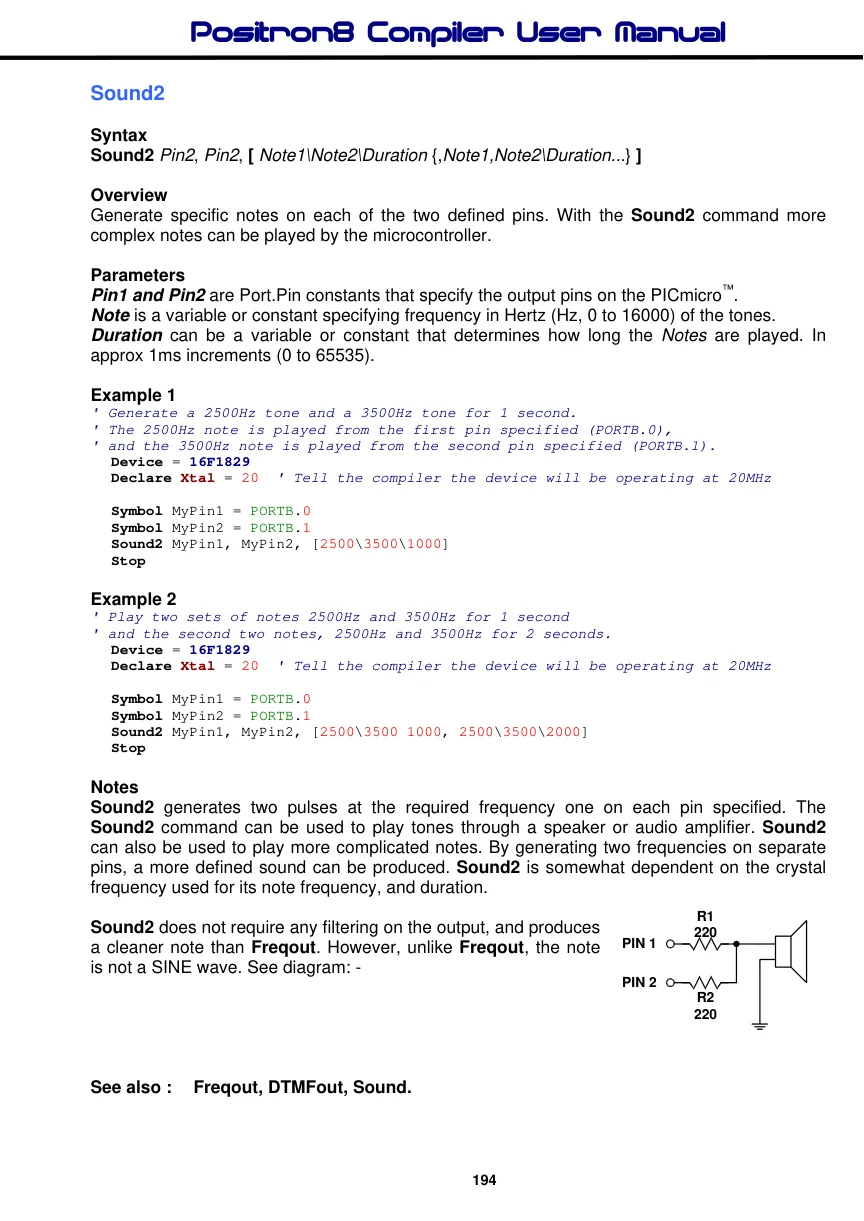
Sound2 generates two pulses at the required frequency one on each pin specified. The Sound2 command can be used to play tones through a speaker or audio amplifier. Sound2 can also be used to play more complicated notes. By generating two frequencies on separate pins, a more defined sound can be produced. Sound2 is somewhat dependent on the crystal

Text in this figure or table
R1 220 PIN 1
PIN 2 R2 220
frequency used for its note frequency, and duration.
Sound2 does not require any filtering on the output, and produces a cleaner note than Freqout. However, unlike Freqout, the note is not a SINE wave. See diagram: -