Edit Toolbar
Find Displays a find dialog.
Find and Replace
Displays a find and replace dialog.
Indent
Shifts all selected lines to the next tab stop. If multiple lines are not selected, a single line is moved from the current cursor position. All lines in the selection (or cursor position) are moved the same number of spaces to retain the same relative indentation within the selected block. You can change the tab width from the editor options dialog.
Outdent
Shifts all selected lines to the previous tab stop. If multiple lines are not selected, a single line is moved from the current cursor position. All lines in the selection (or cursor position) are moved the same number of spaces to retain the same relative indentation within the selected block. You can change the tab width from the editor options dialog.
Block Comment
Adds the comment character to each line of a selected block of text. If multiple lines are not selected, a single comment is added to the start of the line containing the cursor.
Block Uncomment
Removes the comment character from each line of a selected block of text. If multiple lines are not selected, a single comment is removed from the start of the line containing the cursor.
Compile and Program Toolbar
Compile
Pressing this button, or F9, will compile the currently active editor page. The compile button will generate a *.hex file, which you then have to manually program into your microcontroller. Pressing the compile button will automatically save all open files to disk. This is to ensure that the compiler is passed an up to date copy of the file(s) your are editing.
Compile and Program
Pressing this button, or F10, will compile the currently active editor page. Pressing the compile and program button will automatically save all open files to disk. This is to ensure that the compiler is passed an up to date copy of the file(s) your are editing.
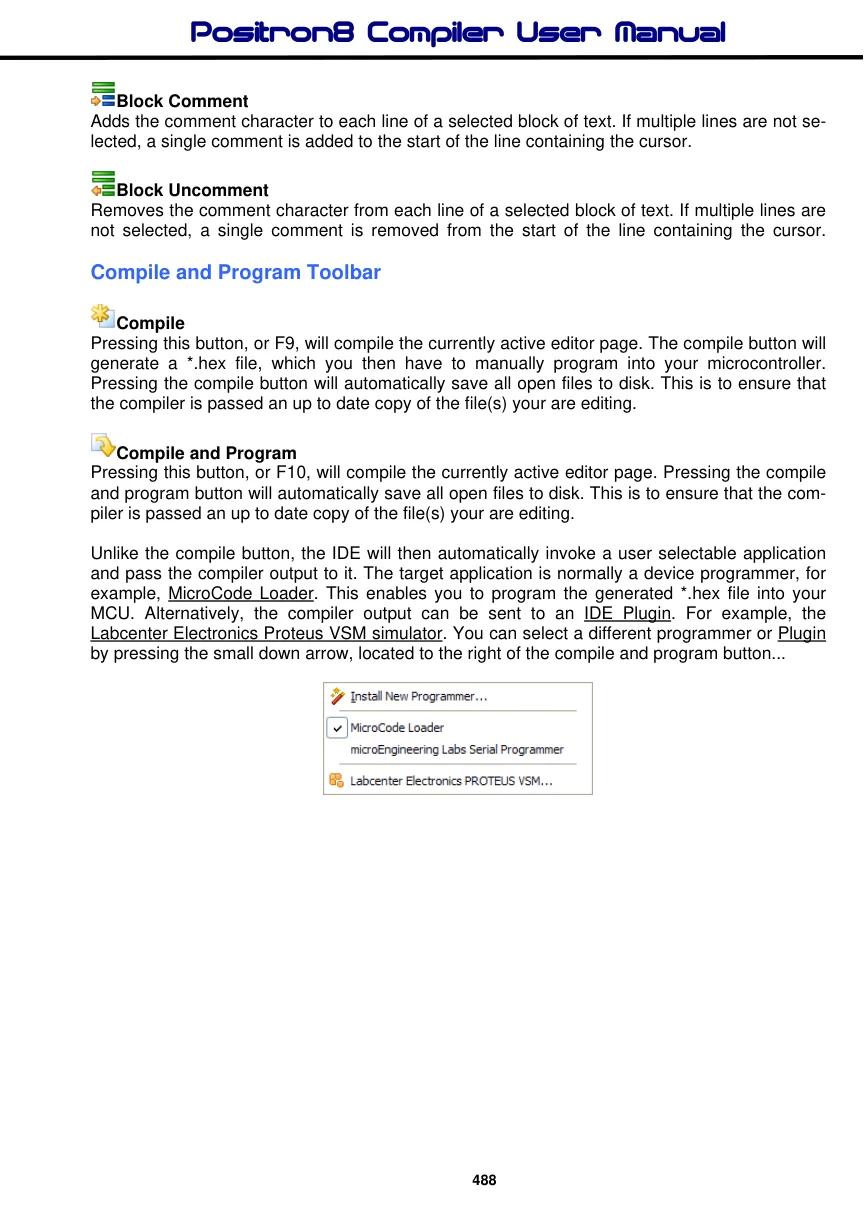
Unlike the compile button, the IDE will then automatically invoke a user selectable application and pass the compiler output to it. The target application is normally a device programmer, for example, MicroCode Loader. This enables you to program the generated *.hex file into your MCU. Alternatively, the compiler output can be sent to an IDE Plugin. For example, the Labcenter Electronics Proteus VSM simulator. You can select a different programmer or Plugin by pressing the small down arrow, located to the right of the compile and program button...
