Hardware
… visits


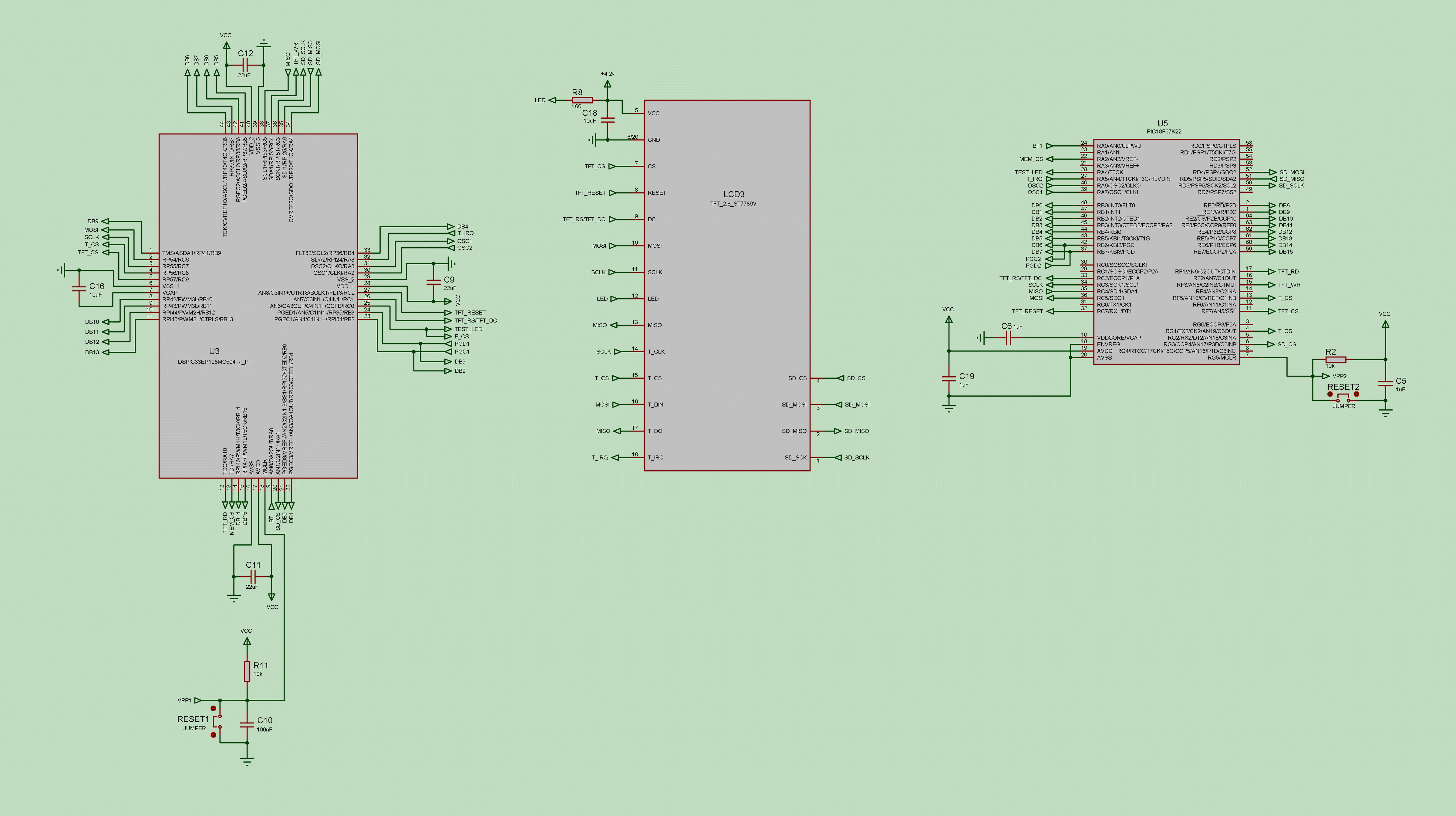
The Hardware SPI protocol (HW SPI) is slightly slower than the parallel protocol but requires fewer pins and is still fast enough for most graphic applications.
Important Note! Although the TFT display can share an HW SPI port with other peripherals, using a shared port can reduce effective transfer rates significantly compared to a dedicated HW SPI port for the display.
This difference occurs because there are two main ways to transfer pixel data to display chips:
Mode 1: An area of X * Y pixels on the screen is designated to be filled, and all required pixels (totaling X * Y) are sent sequentially as RGB color data only, without additional overhead.
In this mode, data transfer cannot be interrupted, as keeping Chip Select (CS) low continuously means that any communication on the shared port will be interpreted as graphic data by the display IC.
Therefore, this mode isn’t suitable for shared HW SPI ports.
Mode 2: Individual pixels are sent with both RGB color data and coordinate information, which requires additional commands for each pixel.
Because each pixel’s position is specified, graphic data transfer can be paused and resumed, allowing the HW SPI port to be shared.
However, this mode incurs significant data overhead and a speed penalty. To improve speed, a graphics buffer can be used, which is on my To-Do List.
Recommendation: For devices with multiple HW SPI ports, use a dedicated HW SPI port for the display, while other peripherals like the SD card or memory can use a second port or one with PPS (Peripheral Pin Select) pins.
|
$define TFT_COM SPI_1 'Use SPI 1 module or $define TFT_COM SPI_2 'Use SPI 2 module |
Created with the Personal Edition of HelpNDoc: Streamline Your Documentation Process with a Help Authoring Tool